Best for recurring monitoring
redCacti
For teams that want CMS-independent recommendations, orphan-page detection, broken-link monitoring, and repeat crawls without automatic site changes.
Internal linking tool comparison
Compare WordPress plugins, technical crawlers, and focused site-health workflows. Choose the tool that matches how your team finds, reviews, and applies internal links.
Tools compared
6
redCacti crawl limit
10,000 pages/site
Last verified
August 2026
Best for recurring monitoring
For teams that want CMS-independent recommendations, orphan-page detection, broken-link monitoring, and repeat crawls without automatic site changes.
Best for WordPress publishing
For writers who want recommendations and link insertion inside self-hosted WordPress.
Best for dynamic link deployment
For teams comfortable displaying accepted links through an installed JavaScript snippet.
Best for technical crawl control
For technical SEOs who need configurable crawling, rendering, extraction, integrations, and detailed exports.
Best broader SEO platform
For teams that need internal linking alongside backlinks, keywords, rankings, and competitor research.
Best for visual technical audits
For consultants and technical teams that want crawl depth with clearer visual reporting.
At a glance
A WordPress plugin, technical crawler, cloud monitor, and full SEO platform should not be judged as though they were interchangeable.
| Tool | Best for | Runs in | WordPress required | Recommendations | Deployment | Recurring crawls | Starting price |
|---|---|---|---|---|---|---|---|
| redCacti | Recurring monitoring and reviewed recommendations | Browser | No | Yes | Manual implementation | Daily or weekly on paid plans | Free; Pro from $19/month |
| Link Whisper | Adding links inside WordPress | WordPress plugin | Yes | Yes | Writes approved links into WordPress | Not its primary workflow | From $97/year |
| LinkStorm | Cloud recommendations and dynamic deployment | Browser | No | Yes | JavaScript-based dynamic display | Automatic monthly recrawl | From $30/month |
| Screaming Frog | Configurable technical audits | Desktop | No | Audit workflow | Does not modify website | Scheduling in paid version | Free; paid $279/year |
| Ahrefs | Internal linking inside a broader SEO platform | Browser | No | Yes | Does not modify website | Scheduled Site Audit crawls | Starter $29/month |
| Sitebulb | Visual technical SEO audits | Desktop and cloud | No | Audit workflow | Does not modify website | Depends on product and plan | 14-day trial |
How the category works
The right category matters more than the longest feature list.
Put recommendations close to the writing process and can write approved links directly into WordPress. Their main limitation is platform dependence.
Crawl independently of the CMS and provide site-wide recommendations. Some leave implementation to the user; others dynamically deploy accepted links.
Expose detailed site architecture, anchors, crawl depth, broken links, and authority signals. They offer depth, but require more interpretation.
Combine internal linking with backlinks, keyword research, rank tracking, and competitor analysis. Useful when the wider platform is genuinely needed.
1. redCacti
redCacti is a cloud-based crawler that combines internal link recommendations with orphan-page detection, broken-link monitoring, and recurring website-health checks. It works independently of the CMS and does not automatically alter website content.
Start a crawl without installing a CMS plugin or giving redCacti permission to edit the site. Paid plans support up to 10,000 pages per site by default, with higher limits available when required.
Because redCacti analyzes the crawlable website rather than depending on a native CMS plugin, it can work with WordPress, Webflow, Shopify, headless sites, and custom applications.
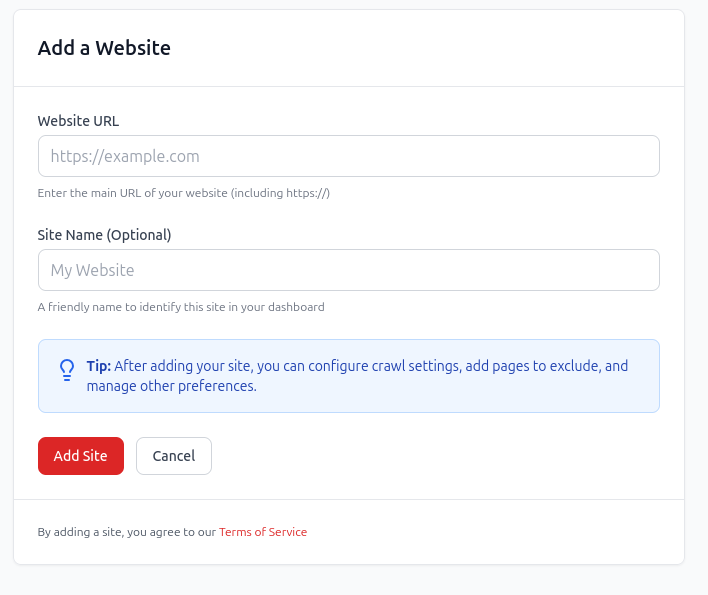
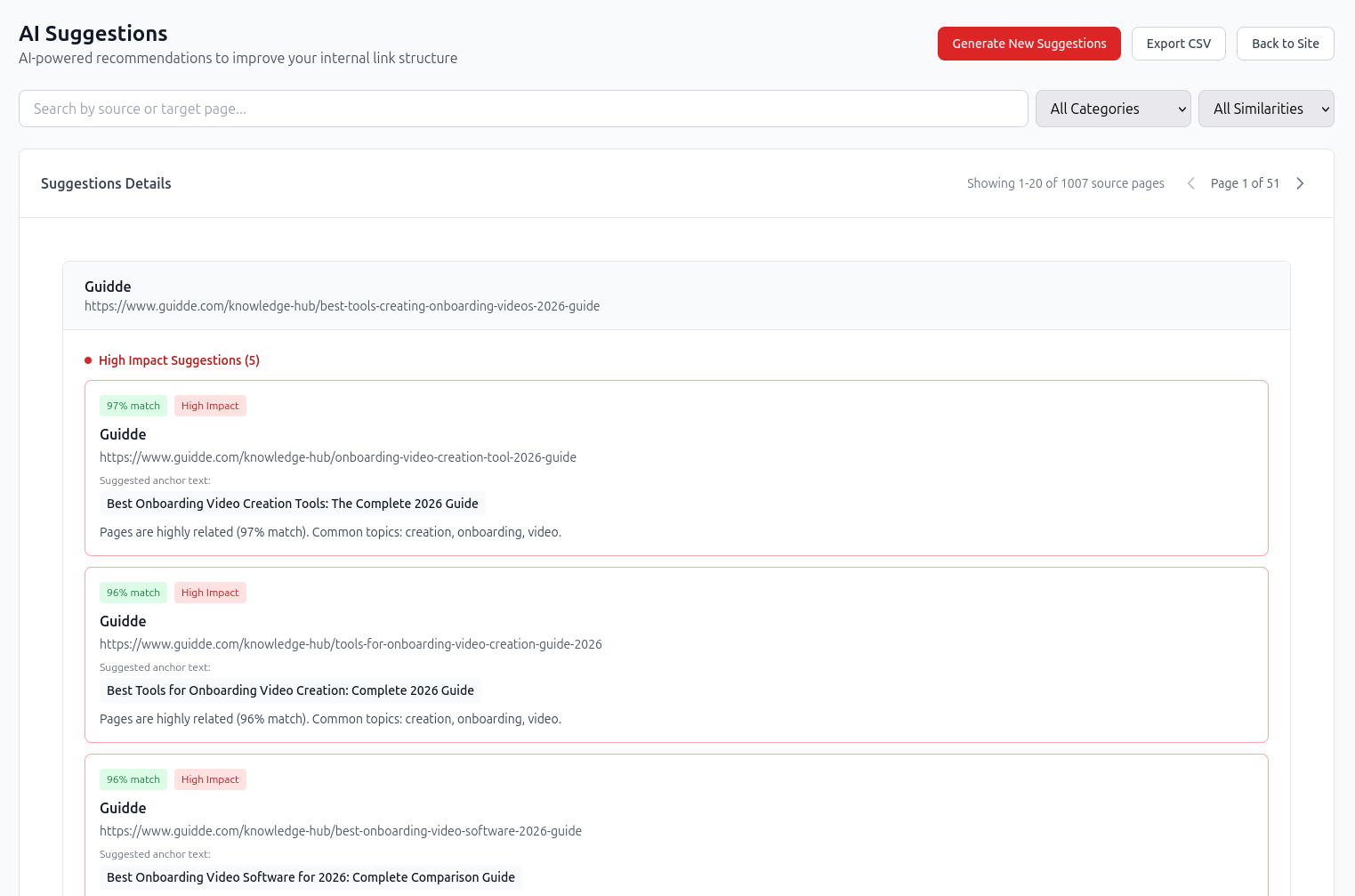
See the source page, target page, suggested anchor, topical relationship, and priority before making a change.
Source: /blog/customer-onboarding-video-examples/
Target: /blog/how-to-create-an-onboarding-video/
Suggested anchor: create an onboarding video
Reason: Both pages cover video creation and customer onboarding.
redCacti does not add the link automatically. The recommendation must be reviewed and implemented in the CMS or codebase, preserving editorial control.
Find pages with no incoming internal links and decide whether to link, consolidate, redirect, noindex, or remove them.
An orphan-page report should lead to a decision rather than another spreadsheet. Some pages deserve contextual links. Others should be consolidated, redirected, or removed.
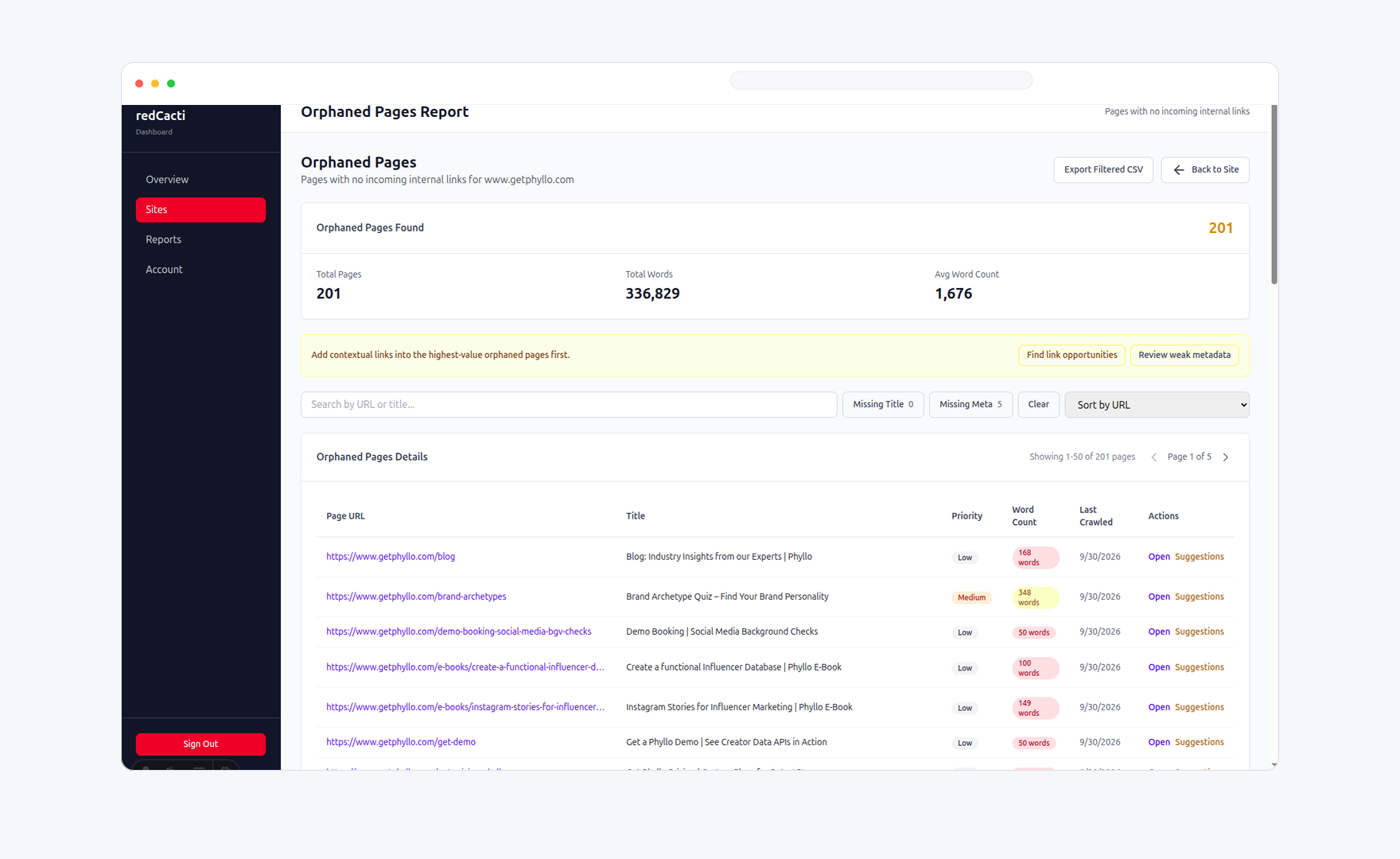
1 website, up to 1,000 pages, broken links, orphan pages, health score, and up to 30 visible results.
3 websites, 10,000 pages per site, semantic suggestions, daily or weekly crawls, health tracking, article analysis, and exports.
10 websites, everything in Pro, multi-site dashboard, advanced filtering, and priority support.
Each of these products is a better choice than redCacti for a specific kind of workflow.
2. Link Whisper
Link Whisper integrates suggestions and link insertion into self-hosted WordPress. Writers can review recommendations while editing content and add selected links without moving between applications.
It requires self-hosted WordPress. It is less suitable for Webflow, Shopify, headless, custom, or mixed-CMS websites, and it is not a replacement for a fully configurable technical crawler.
Current annual pricing starts at $97 for one website. Confirm current licence limits and tiers before purchasing.
The site is not limited to WordPress, recurring monitoring matters, or every link should be implemented manually after review.
3. LinkStorm
LinkStorm crawls websites, recommends internal links, and can automatically accept and display recommendations through an installed JavaScript snippet.
Accepted links are managed by LinkStorm rather than permanently written into the underlying CMS content.
Dynamic deployment depends on the LinkStorm snippet and service. If the snippet is removed or the service is no longer active, injected links may stop appearing. Teams should also review automatically accepted links for anchor diversity, placement, and contextual usefulness.
Official pricing currently starts at $30 per month for 1,000 URLs and 1,000 credits. Projects are automatically recrawled monthly; additional on-demand recrawls can consume credits.
Links should be permanently implemented by the team after review, and broken-link and website-health monitoring should sit alongside recommendations.
4. Screaming Frog SEO Spider
Screaming Frog is desktop software for Windows, macOS, and Linux. It can expose incoming and outgoing links, anchor text, crawl depth, redirects, broken links, follow status, and Link Score.
Screaming Frog provides the data required for sophisticated audits, but it expects the user to configure, interpret, and operationalize the crawl. A content team that mainly wants a prioritized list of recommendations may find it more technical than necessary.
The free edition crawls up to 500 URLs. The paid licence is currently $279 per user per year in the US-dollar locale.
You want cloud-hosted recurring monitoring and a simpler queue of internal link, orphan-page, and broken-link issues.
5. Ahrefs
Ahrefs Site Audit includes an Internal Link Opportunities report. It uses the top traffic-driving keywords of crawled pages and searches for exact keyword mentions on other crawled pages.
The opportunity method depends on exact keyword mentions and available ranking data. It may miss semantically related passages that use different language and new pages that have not yet established search traffic. Ahrefs identifies opportunities but does not add links.
Localized pricing may display different currencies. Verified site owners can also access limited free Site Audit and Site Explorer functionality.
Internal linking and recurring site monitoring are the main requirements and a narrower, lower-cost workflow is preferable.
6. Sitebulb
Sitebulb offers desktop and cloud crawling. Its internal link analysis includes Link Explorer, incoming-link distribution, URL Rank, crawl depth, broken links, redirects, orphan pages, visualizations, and prioritized audit hints.
Sitebulb is a technical audit platform rather than a dedicated recommendation workflow. Users still need to decide which source should link to which target, what anchor to use, and where to place the link.
Sitebulb offers a 14-day trial. Desktop and cloud products use different plans and limits, so confirm current pricing before purchasing.
You want a narrower internal link and monitoring workflow with less setup and interpretation.
Choose Link Whisper when writers need to review and insert links directly in WordPress. For mixed or non-WordPress sites, use a CMS-independent crawler or cloud product.
Choose Link Whisper when links should be written into WordPress. Choose LinkStorm when dynamic JavaScript deployment is acceptable. Choose redCacti when links should only be added after editorial review.
Choose redCacti, Link Whisper, or LinkStorm for a focused workflow. Choose Screaming Frog or Sitebulb when you need deeper technical analysis.
Choose Ahrefs when backlink, keyword, ranking, and competitor research are also required. A dedicated tool may be simpler and less expensive when internal linking is the main requirement.
A desktop crawler works well for analyst-led periodic audits. Recurring cloud crawls are more suitable when content is published frequently, URLs change, broken links return, or orphan pages accumulate over time.
There is no single best tool for every website. Link Whisper suits WordPress editing, Screaming Frog and Sitebulb suit technical crawl analysis, Ahrefs suits broader SEO work, LinkStorm supports JavaScript-based deployment, and redCacti suits CMS-independent recommendations and recurring monitoring.
Link Whisper is a strong option when writers need recommendations and link insertion inside self-hosted WordPress. redCacti can analyze WordPress sites, but it works outside the editor and does not add links automatically.
redCacti and LinkStorm work independently of WordPress. Screaming Frog, Sitebulb, and Ahrefs also crawl sites without a CMS plugin, but they support broader technical or SEO workflows.
Yes. It provides inlinks, outlinks, anchor text, crawl depth, Link Score, and related crawl data. It is an analyst-led audit workflow rather than a simple queue of semantic recommendations.
Yes. Ahrefs Site Audit can match the top traffic-driving keywords of crawled pages with exact keyword mentions elsewhere on the site. Coverage depends on ranking and crawl data.
Some do. Link Whisper can write approved links into WordPress. LinkStorm can dynamically display accepted links through JavaScript. redCacti, Screaming Frog, Ahrefs, and Sitebulb do not modify website content through their standard workflows.
A static website may only need a monthly or quarterly audit. A website that publishes or changes content every week should usually be crawled weekly, while daily monitoring can be useful during migrations, redesigns, and large publishing projects.
Run a crawl to review internal link opportunities, orphan pages, and broken links without installing a CMS plugin.
Start your free crawl