Site health
Broken paths, crawlability signals, server responses, sitemap signals, and isolated pages.
Features
redCacti turns crawls into clear review queues for broken links, technical checks, page relationships, internal-link context, isolated pages, and content opportunities.
How the product is organized
Start with site health and technical checks. Then use Content Architecture to understand page classification, topic clusters, internal-link context, and which structural findings deserve attention first.
Free starts with one website and a current crawl summary. Paid plans add deeper architecture queues, recurring monitoring, and more results according to the current pricing page.
Match features to a planBroken paths, crawlability signals, server responses, sitemap signals, and isolated pages.
Page classification, clusters, contextual links, content opportunities, and review prioritization.
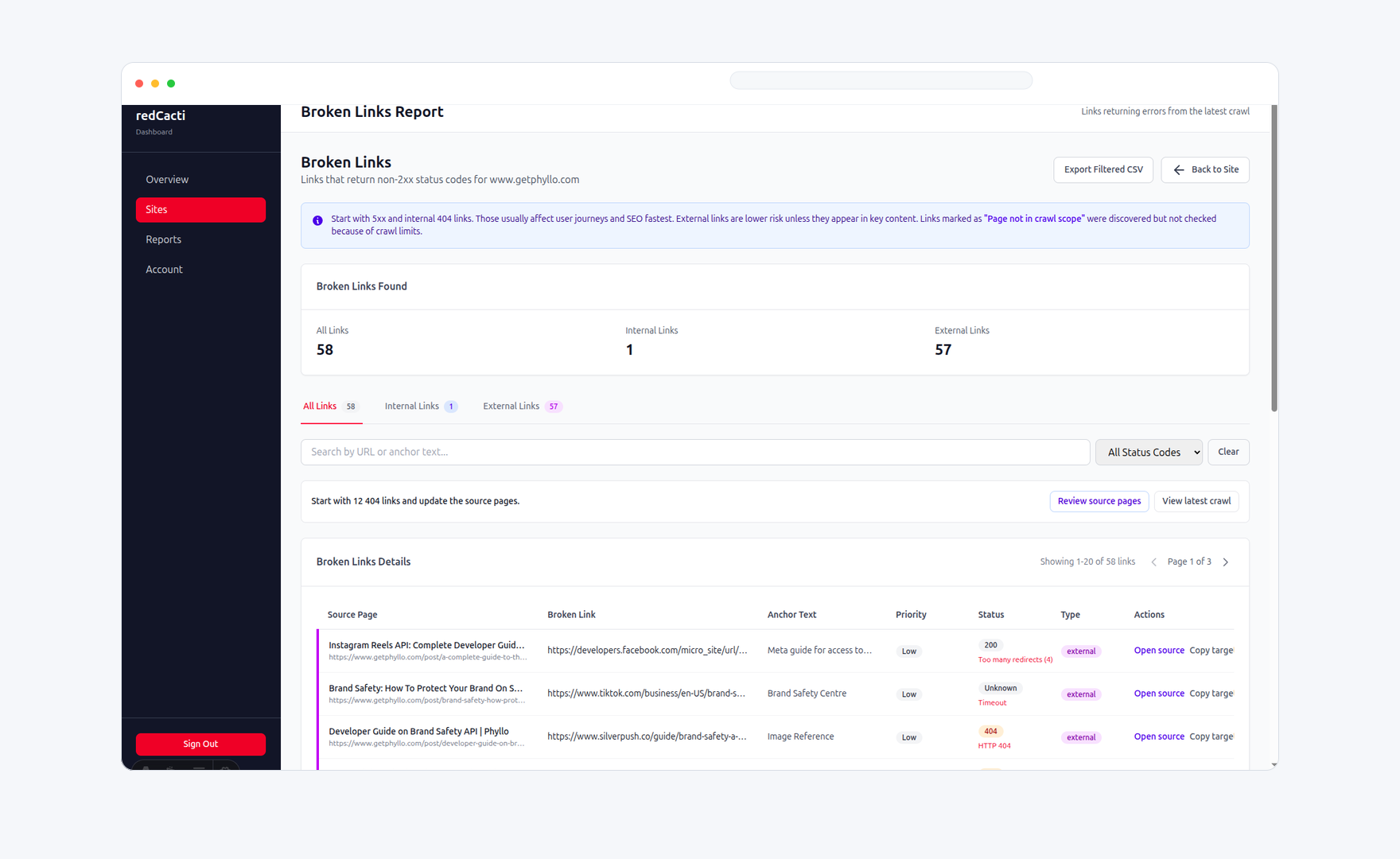
1. Site health and technical checks
Use one connected website as the evidence boundary. Findings are based on pages, links, responses, and crawl signals observed during that crawl.
Find broken internal and external links, status errors, and redirect problems in a crawl.
Find pages with no observed incoming internal links, then inspect the crawl evidence behind the finding.
Review robots.txt, sitemap, crawlability, server errors, timeouts, metadata, and other crawl-visible checks.
Paid plans add recurring monitoring and historical comparisons so new, resolved, or regressed findings stay visible.
Use filters and CSV exports on eligible paid plans when a finding needs to move into another workflow.
Monitor one connected website on Free or Solo, or add distinct crawl properties on Pro and Agency.
2. Content Architecture and prioritization
Content Architecture is a crawl-derived view of your site's observed structure. It helps teams inspect patterns and decide what to investigate, without pretending to measure demand or business outcomes.
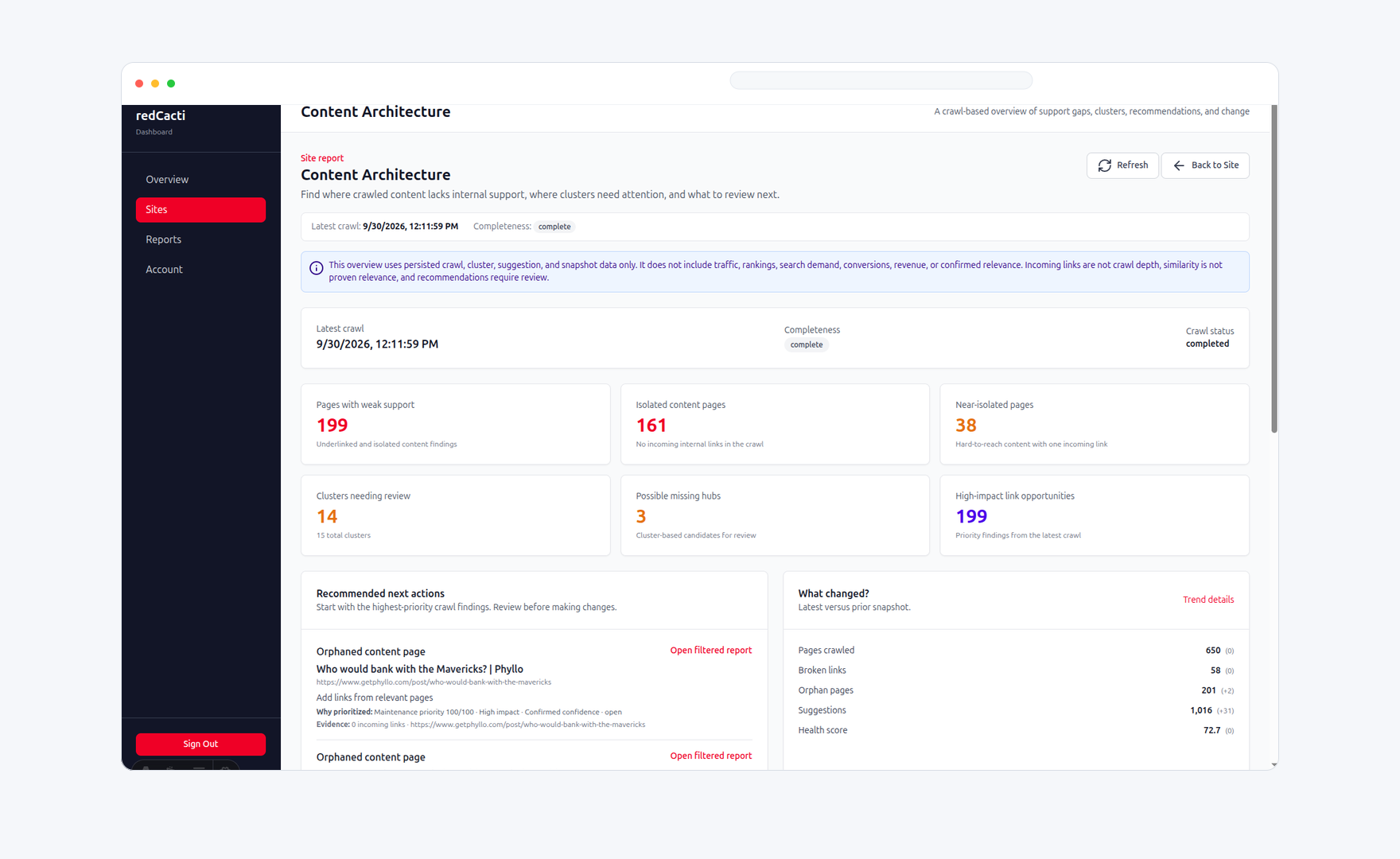
Classify observed pages and inspect reachability, crawl depth, incoming links, and relationships between related content.
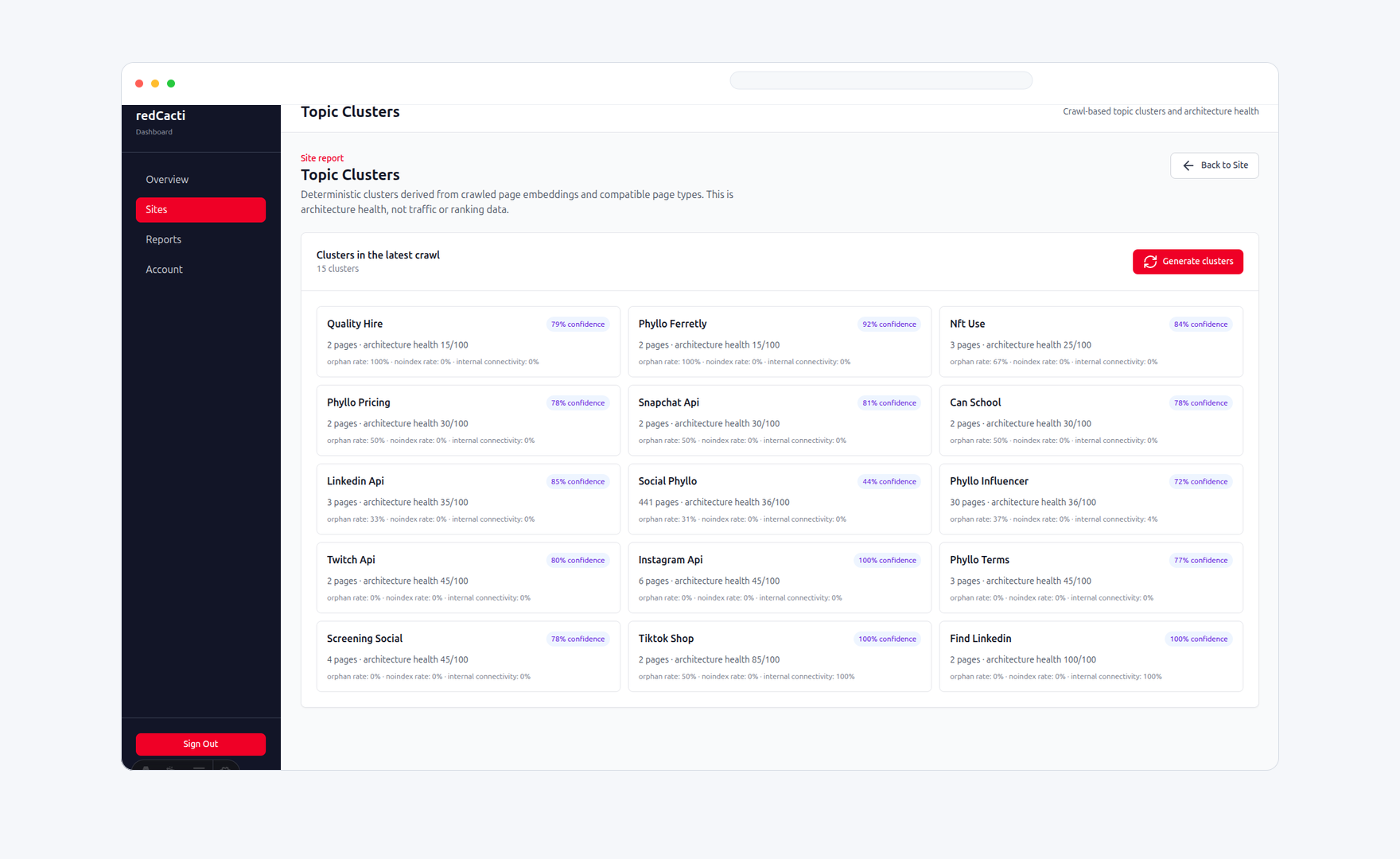
Review hubs, supporting pages, and fragmented paths based on the links and pages exposed by a crawl.
Distinguish contextual content links from navigation, header, and footer links when reviewing structure.
Surface pages with no or very limited observed internal support for a closer human review.
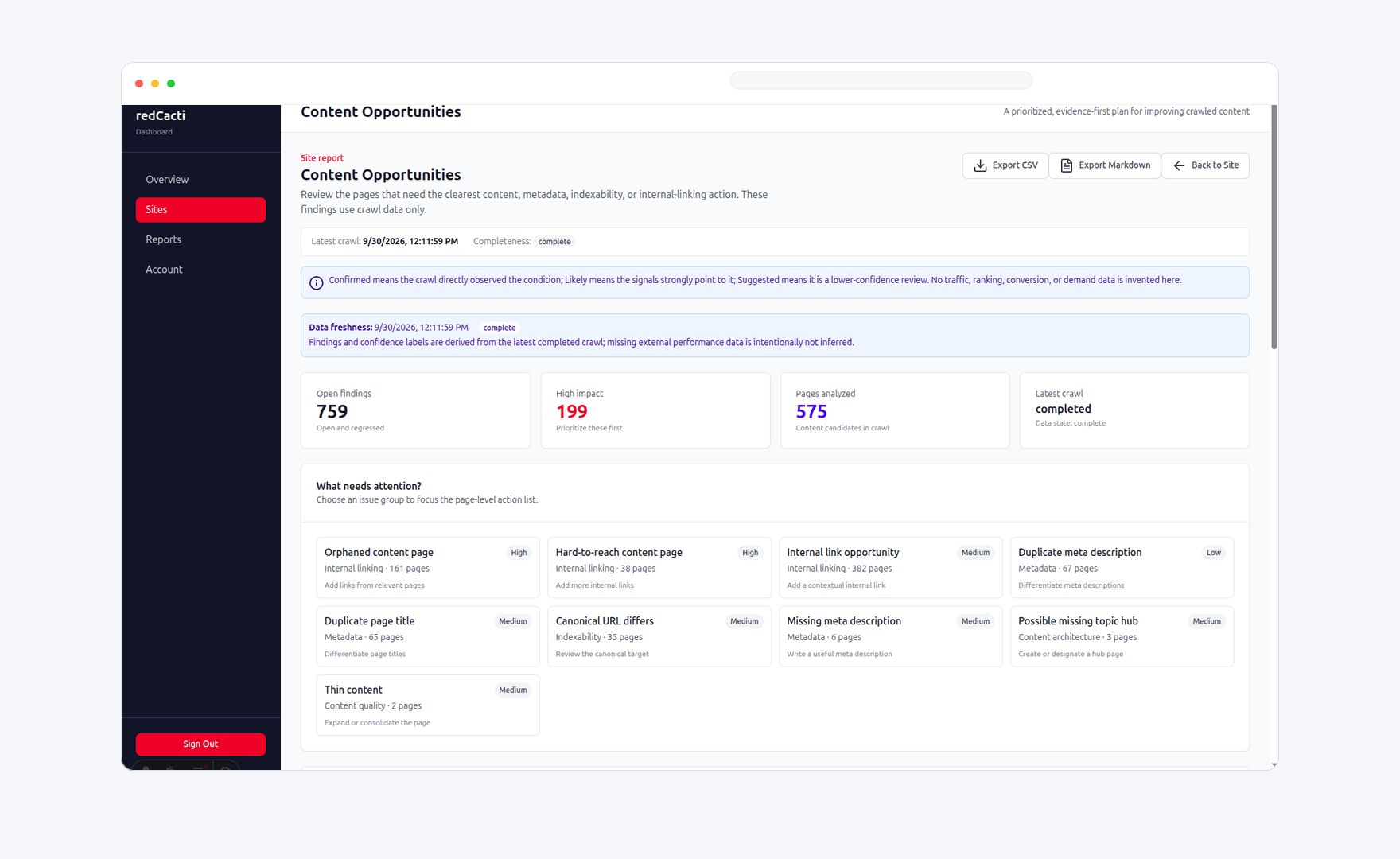
Turn structural gaps and related-page patterns into review queues, not automatic recommendations or guarantees.
Use observed scope, reach, relationships, and evidence to choose what your team should investigate first.
Content Architecture evidence
Content opportunity evidence
Evidence boundary
Reports are grounded in observed pages, links, responses, crawl depth, page relationships, and changes between available crawls. Your team brings traffic context, search demand, editorial goals, and business judgment to the work.
Each connected website has its own page limit. Documentation sites, help centers, blogs, resource centers, app portals, status sites, and regional sites count as separate crawl properties when separately crawlable.
See current plans and billingNeed help choosing coverage? Contact [email protected].