1
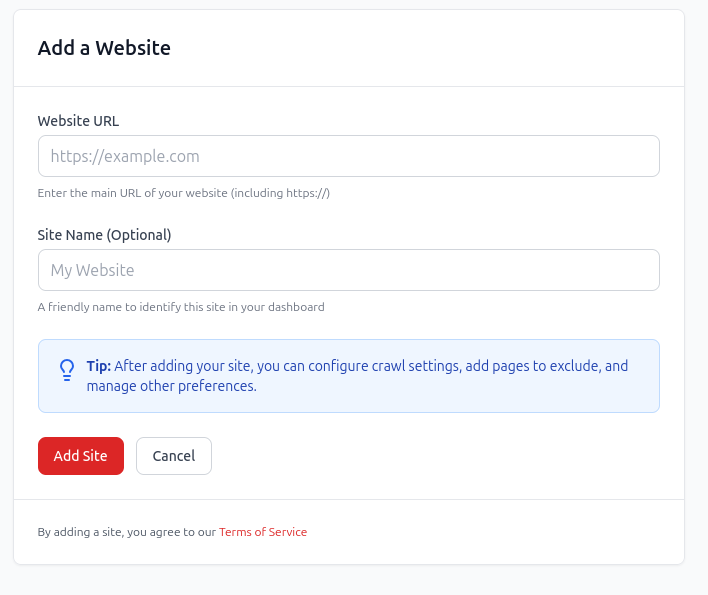
Add your website and crawl it
Start with a website crawl so redCacti can map discovered pages and the internal links between them.
Orphan page finder
Crawl your site to identify discovered pages with zero incoming internal links, then decide which URLs deserve contextual links, should be merged, redirected, removed, or intentionally left alone.
From detection to decision
A zero-inlink page is only a starting point. Some orphan pages deserve stronger internal links. Some should be consolidated. Others should disappear from the indexable site structure. redCacti helps you turn the report into a cleanup workflow.
Example orphan page
/blog/product-led-seo-checklist/
Why it matters
If the page supports an important cluster, leaving it disconnected makes it harder for visitors and crawlers to discover. The next step is to find relevant source pages and add useful contextual links.
Find source pages with redCactiOrphan page cleanup workflow
Orphan cleanup is not just a technical audit. The page needs a business decision: reconnect, improve, consolidate, redirect, or remove.
Start with a website crawl so redCacti can map discovered pages and the internal links between them.
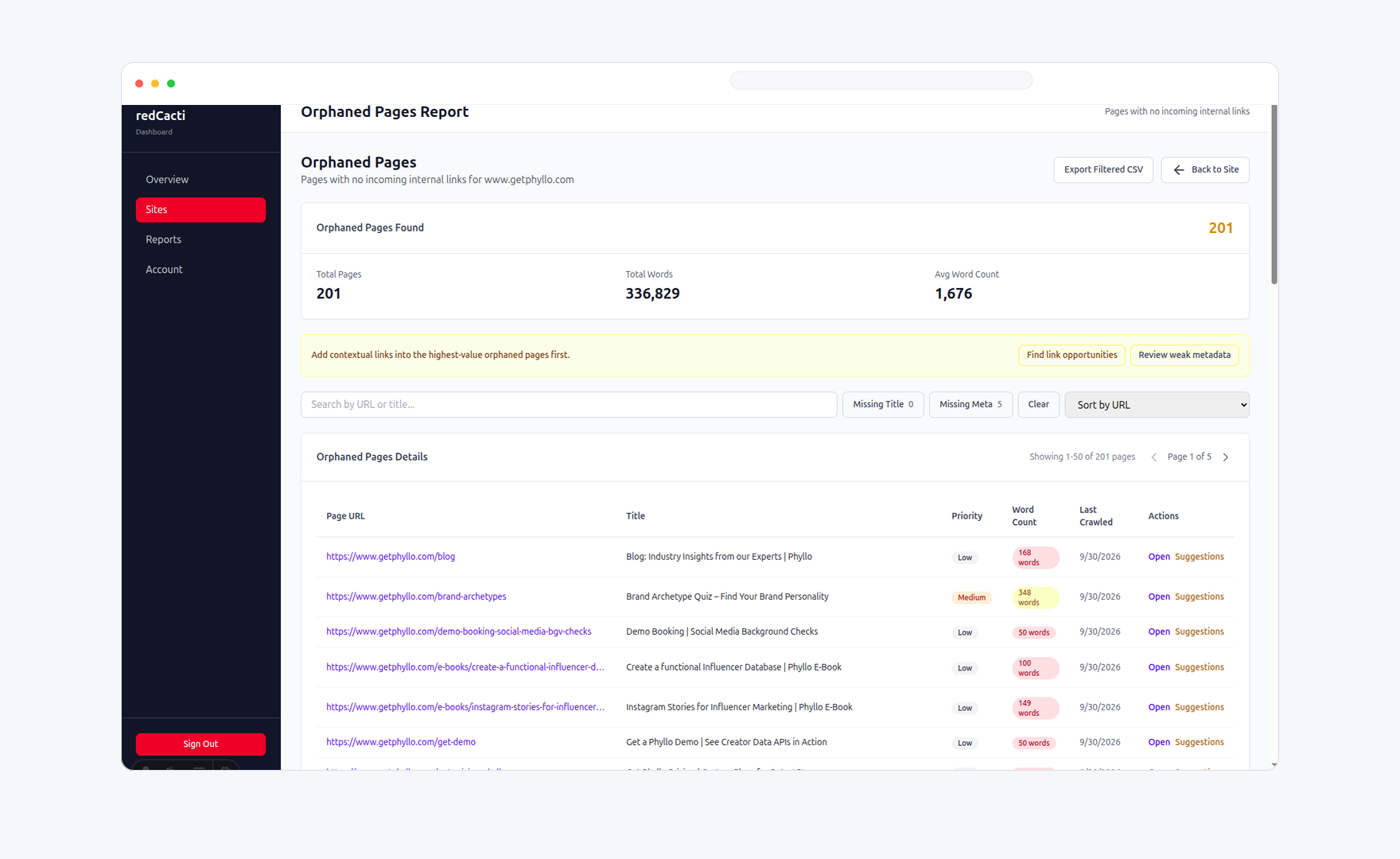
Use the orphan page report to see which discovered URLs are not receiving internal links from the rest of your site.
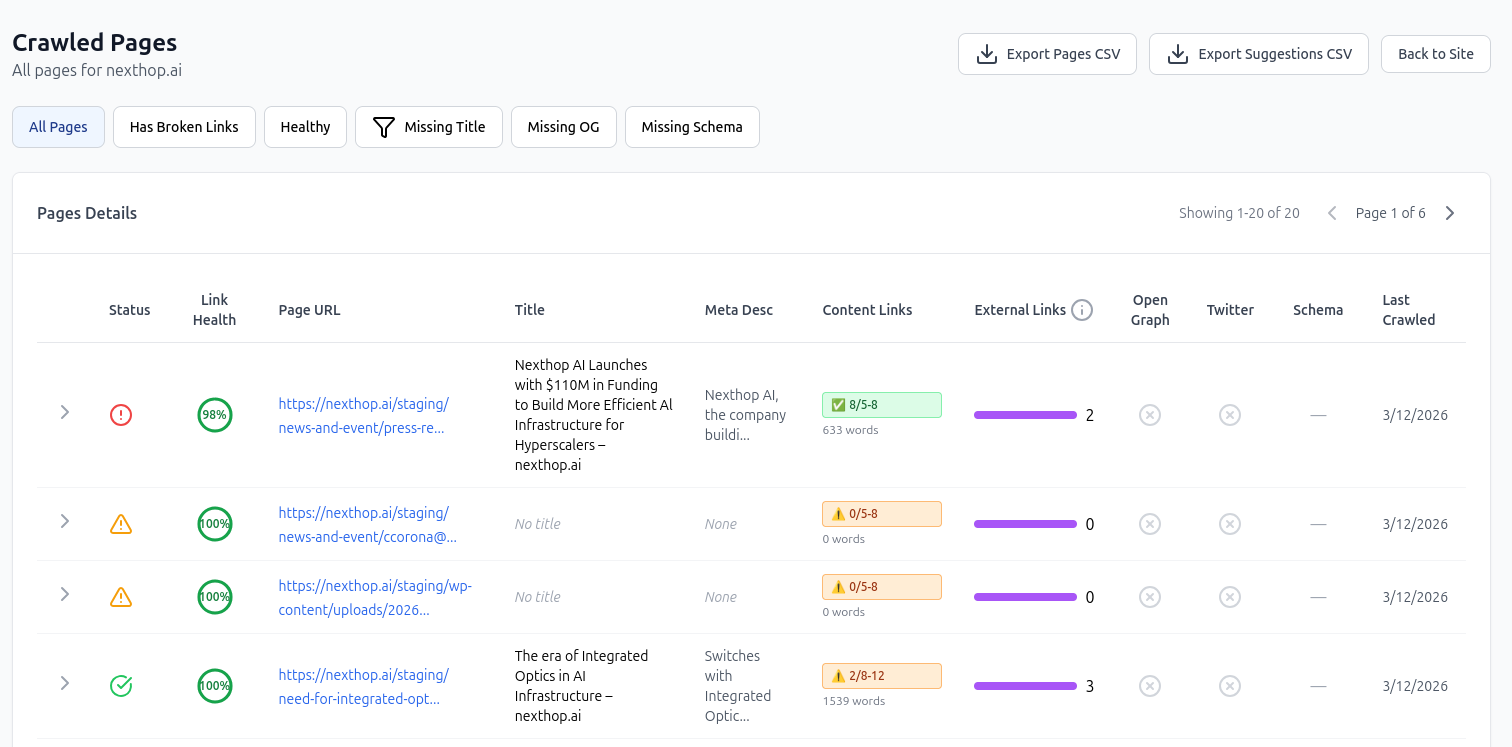
For valuable orphan pages, use internal link recommendations to identify source pages and anchor text that fit naturally.
What the report should help you decide
The goal is not to get to a zero-orphan score at any cost. The goal is a cleaner site architecture where important pages are discoverable and low-value pages are handled intentionally.
| Action | Use when | Next step |
|---|---|---|
| Link and improve | The page targets an important topic, product use case, comparison, or conversion path. | Add contextual links from relevant articles, feature pages, category pages, or docs. |
| Merge | The page overlaps with a stronger page and does not deserve a separate search result. | Fold useful content into the stronger page and update internal links to the canonical URL. |
| Redirect | The page is outdated, replaced, or no longer matches the current product or offer. | Redirect it to the closest useful alternative and remove stale references from the site. |
| Remove or noindex | The page is thin, expired, duplicated, or intentionally not meant for organic discovery. | Remove it from the indexable site structure or keep it intentionally isolated. |
Output preview
A useful orphan page finder should give you more than a URL list. It should show why the page is disconnected and help you decide what to do next.
The discovered URL that currently receives no incoming internal links.
A clear zero-link signal so your team can focus on disconnected pages.
The crawl or website workspace where the orphan page was found.
A practical way to decide whether the page deserves a link, merge, redirect, or removal.
Guidance for turning a raw orphan list into an editorial or technical SEO task.
Use related source-page recommendations to reconnect pages that are worth keeping.
Why orphan pages keep appearing
Orphan pages are rarely created on purpose. They usually appear when teams publish faster than they update navigation, topic clusters, templates, and old links.
New articles or landing pages go live before anyone adds links from existing pages.
Old URLs survive in sitemaps or systems after navigation and templates change.
Tags, categories, drafts, and old campaigns remain published without useful pathways.
Feature, help-center, and comparison pages move faster than the internal linking plan.
Honest crawler expectations
A page with no internal links is difficult for any crawler to discover unless it appears in a sitemap, URL list, analytics, log file, or another source. redCacti helps once the URL is part of the crawl inventory, then shows whether the rest of the site links to it.
A standard crawl follows internal links from the starting URL and maps the pages it can reach.
Sitemaps and supplied URL sources help expose pages that exist but are not connected through normal internal links.
redCacti turns disconnected pages into a review queue so your team can reconnect valuable URLs and clean up the rest.
Method comparison
You can find orphan pages with spreadsheets and crawlers, but the cleanup becomes slow when you also need prioritization and internal link follow-up.
| Approach | Good for | Limitation |
|---|---|---|
| Sitemap spreadsheets | Building a known URL list. | They do not tell you which pages link to which other pages. |
| Desktop crawlers | Deep technical audits and custom crawl configuration. | They often leave prioritization and link recommendations to manual analysis. |
| Google Analytics, GSC, or logs | Finding URLs that external sources or users have reached. | They still need to be compared against the internal link graph. |
| redCacti | A repeatable workflow for detecting zero-inlink pages and reconnecting the valuable ones. | Your team still reviews each page and applies approved CMS changes manually. |
Related workflows
Orphan page cleanup works best when it is connected to broader internal linking, crawl health, and content pruning decisions.
Find source pages and anchor text for orphan pages that are worth reconnecting.
Open pageLearn the manual and crawl-based methods for discovering disconnected URLs.
Open pageDecide whether each orphan page should be linked, merged, redirected, or removed.
Open pageUnderstand zero-inlink pages and why they create crawl and discovery gaps.
Open pageFAQs
An orphan page finder identifies pages in your URL inventory that have no incoming internal links from the rest of your website. These pages may exist in your sitemap or crawl data, but users and search engines have weak pathways to reach them through normal site navigation.
redCacti crawls your website, builds an internal link graph, and flags discovered URLs that receive zero incoming internal links. For the most complete audit, make sure important URLs are discoverable through your sitemap or crawl source.
No crawler can find a completely hidden URL unless that URL is supplied by a source such as an XML sitemap, URL list, analytics, logs, or another connected data source. redCacti focuses on the practical cleanup workflow once those pages are visible in your crawl inventory.
No. Some pages are intentionally isolated, such as thank-you pages, paid campaign pages, internal utility pages, or expired offers. The real task is to separate valuable orphan pages from pages that should be merged, redirected, removed, or left out of the main site structure.
Review each page by business value, search intent, freshness, and topical fit. Add contextual internal links to valuable pages, merge overlapping pages, redirect outdated URLs, or remove pages that no longer serve a purpose.
Yes. Use the orphan page report to identify disconnected URLs, then use redCacti's internal linking recommendations to find relevant source pages and anchor text for the pages worth keeping.
No. redCacti finds and prioritizes orphan page issues. Your team decides which pages to link, merge, redirect, noindex, or remove, and then applies approved changes inside your CMS.
Check after publishing batches, site migrations, navigation changes, CMS cleanups, product launches, and major content refreshes. Sites that publish every week should review orphan pages on a recurring monthly or quarterly cadence.
Start cleanup
Create an account, add your website, and turn your next crawl into a prioritized orphan page cleanup workflow.
No credit card required. Review every recommendation before changing your site.