Automated broken link monitoring

Catch new broken links before visitors do

Schedule recurring crawls that check internal and external links, preserve your crawl history, and show your team exactly where each problem appears without remembering to run another manual audit.

  • No CMS plugin
  • Daily, weekly, or monthly crawls
  • You control every fix

Need a snapshot?

Use the free one-time checker

Enter a domain, run one focused crawl, and get a shareable report. No ongoing setup required.

Need ongoing protection?

Use automated monitoring

Save your website, choose a schedule, retain crawl history, and receive results without starting every scan yourself.

Actionable output

See the page to edit, not only the URL that failed

A useful broken-link report connects the failed destination to the page and link text that still send visitors there. That gives an editor or developer a fix they can locate immediately.

Illustrative recommendation using the fields available in a redCacti crawl.

404 Not Found External link 3 occurrences
Found on
/blog/saas-migration-checklist/
Broken destination
https://example.com/old-migration-guide
Anchor text
“technical migration guide”

What to review

Replace the destination, remove the reference, or add a redirect if you control the missing URL.

From setup to recurring report

Set the crawl once. Keep seeing what changes.

redCacti turns broken-link checking from an occasional audit into a repeatable maintenance workflow.

1

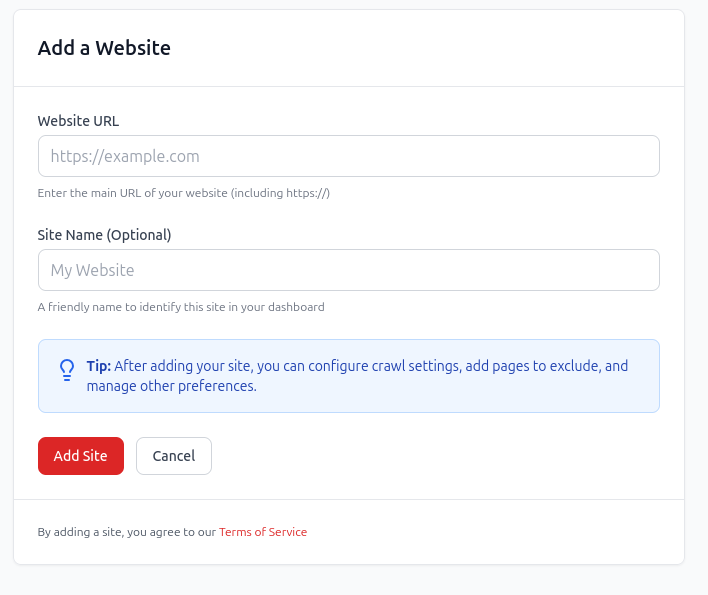
Add the website you want to monitor

Enter your domain and start a cloud crawl. redCacti maps the crawlable pages and the internal and external links it finds, without installing software on your computer or a plugin in your CMS.

Add a website in redCacti before starting a monitored crawl

Scheduled crawl

redcacti.com

Active
Frequency
Weekly
Delivery
Email report
Next crawl runs automatically
2

Choose how often redCacti checks it

Schedule daily, weekly, or monthly crawls based on how often your site changes. The crawl runs in the cloud, so it does not depend on your laptop being open or someone remembering to start it.

3

Review the report and assign the right fix

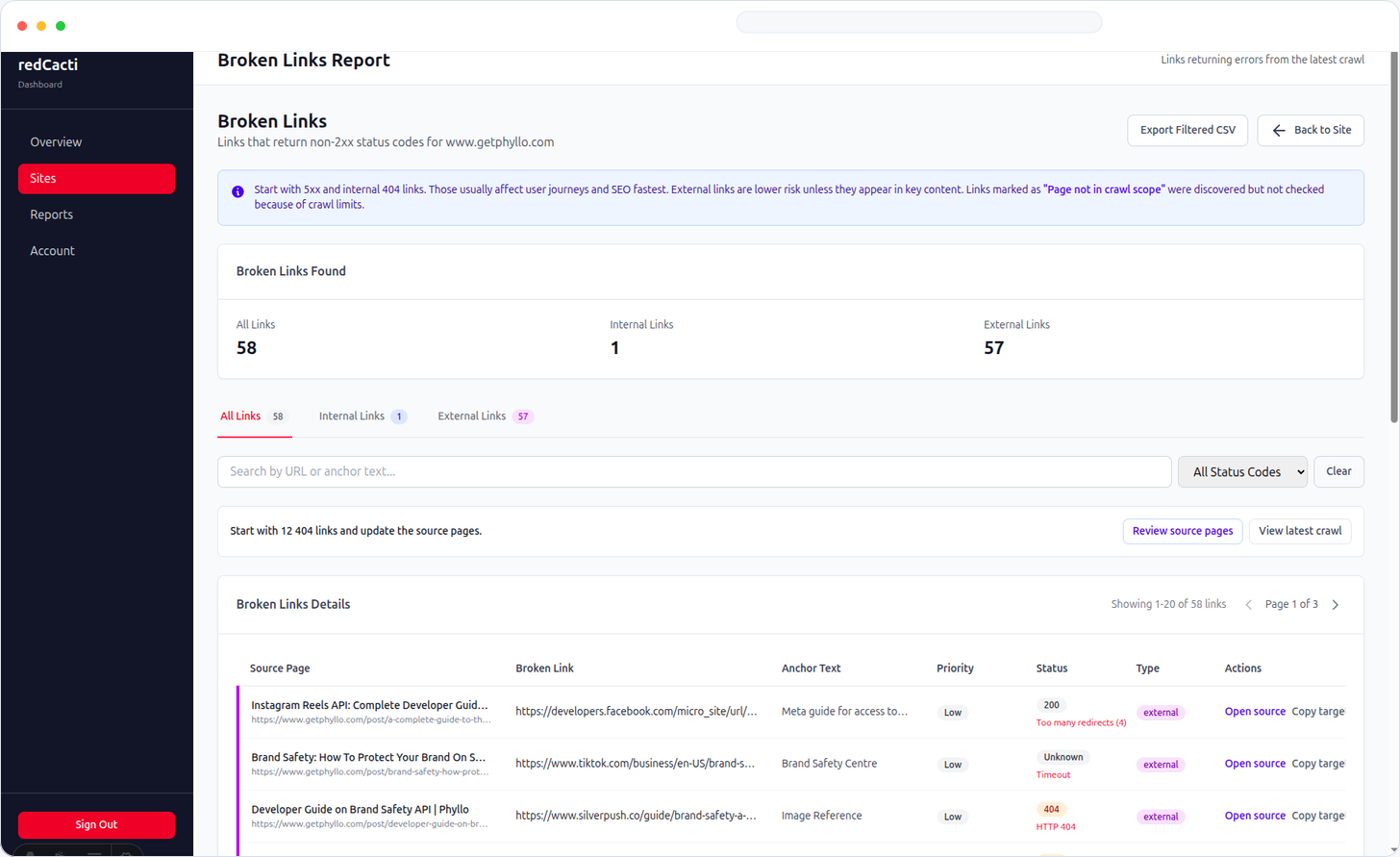
Open the completed crawl to see the source page, failed destination, anchor text, and failure type. Export the results when an editor, developer, or client needs a clean task list.

redCacti crawled pages report for reviewing website issues

Fix-ready context

The information your team needs to make the call

redCacti organizes crawl findings around the decision that comes next, not around a raw list of URLs.

Source page
The page where visitors can encounter the broken link.
Broken destination
The internal or external URL that failed.
Anchor text
The clickable words your visitor sees.
Failure state
The status code, timeout, redirect, or connection issue.
Occurrences
How often the same destination appears across the crawl.
Crawl context
The saved crawl that found the issue and when it ran.

One scan versus ongoing monitoring

Use the right redCacti workflow for the job

Capability
Free checker
redCacti monitoring
Best for
A quick snapshot
Ongoing site maintenance
Setup
Enter a domain
Save your site in an account
Crawl trigger
You start each scan
Runs on a schedule
History
One shareable report
Saved crawl history
Follow-up
Return and scan again
Receive completed results
CMS dependency
None
None

Monitor more than obvious 404 pages

Link failures appear in different forms. A recurring crawl helps you catch the problems introduced by publishing, migrations, template changes, and link decay.

Broken internal links

Find links to removed, renamed, or mistyped pages on your own domain.

Broken external links

Catch third-party resources that disappear or stop responding over time.

Server errors

Surface destinations returning 500-level responses instead of working pages.

Timeouts and connection failures

Review links that could not be reached during the crawl.

Redirect chains and loops

Find indirect or circular paths that should point to the final destination.

Repeated template issues

See when one broken navigation, footer, or CTA link appears across many pages.
Compared with other approaches

Cloud monitoring without locking the workflow to one CMS

redCacti is built for teams that want recurring crawl results and enough context to act without maintaining a desktop crawler or installing a plugin on every site.

One-time online checker

Fast for an isolated audit, but someone must remember to run the next scan.

CMS plugin

Convenient inside a supported CMS, but the workflow is tied to that platform and installation.

Desktop crawler

Powerful for deep technical audits, but scheduled work depends on a machine and configuration.

redCacti

Cloud-based recurring crawls, saved results, and source-page context for any crawlable website.

Editorial control

Detection is automated. The fix is yours.

redCacti does not rewrite your content or remove links. It keeps the monitoring automatic while your team retains control over every website change.

redCacti does

  • Run recurring cloud crawls
  • Check internal and external destinations
  • Show where failed links appear
  • Save reports for review and export

Your team decides

  • Whether the link should remain
  • Which replacement is contextually correct
  • Whether a redirect belongs on the target
  • Who implements and verifies the change

Broken link monitoring FAQs

What is automated broken link monitoring?

Automated broken link monitoring runs website crawls on a recurring schedule instead of waiting for someone to start each check. redCacti checks internal and external links, saves the results, and notifies you when a scheduled crawl is ready to review.

How is this different from the free broken link checker?

The free checker is for a quick, one-time snapshot. redCacti monitoring is for an ongoing workflow: add your website to an account, run recurring crawls, retain crawl history, and review new link problems as your site changes.

Can redCacti monitor both internal and external links?

Yes. redCacti checks links between pages on your own site as well as outbound links to third-party resources. The report shows the page containing the link, the destination URL, and the response problem it found.

How often can redCacti crawl my website?

redCacti supports daily, weekly, and monthly crawl schedules. An active publishing site may benefit from weekly monitoring, while a slower-changing site can use a monthly schedule.

Does redCacti automatically fix broken links?

No. redCacti finds and organizes broken-link issues, but your team decides whether to update the destination, add a redirect, replace the resource, or remove the link. Nothing is changed on your website without your approval.

Does monitoring require a WordPress plugin?

No. redCacti crawls the public website, so it can monitor WordPress, Webflow, Shopify, documentation sites, headless sites, and custom stacks without installing a CMS plugin.

What information appears in a broken-link report?

The report identifies the source page, broken destination, link text, HTTP or connection problem, and repeated occurrences found during the crawl. This gives an editor or developer enough context to locate and resolve the issue.

Automated website maintenance

Stop relying on the next manual broken-link audit

Add your website, choose a crawl schedule, and give every broken link a clear source page and next action.

No CMS plugin required. Review every fix before changing your site.