1
Crawl the site
Map the pages redCacti can discover and see how your current internal links connect the site.
SaaS internal linking
Most SaaS teams are not short on content. They are short on structure. A strong internal linking system connects blog posts, feature pages, use cases, comparisons, integrations, and docs so visitors and search engines can understand what matters.
Quick answer
A SaaS internal linking system defines how product pages, use cases, blogs, comparisons, integrations, and docs support each other. The goal is not to add more links everywhere. The goal is to make important pages easier to discover, understand, and act on.
Problem
Teams publish blogs, docs, features, and comparisons at different times.
Risk
Important pages lose internal support, while new pages launch without links.
Fix
Use crawl data and recommendations to keep key pages connected.
Why it breaks
Early on, internal linking feels simple. A few blog posts link to a feature page, the homepage links to the product, and everything looks connected.
Then the site grows. Marketing publishes blog posts. Product marketing launches feature and use-case pages. Support builds documentation. Growth creates comparison pages. Partnerships add integrations. Each page type has a purpose, but they are often published without one shared linking system.
The result is not always a visibly broken site. It is a disconnected one. Important pages get too few links, older content stops supporting product pages, and new pages may not receive any internal links at all.
SaaS linking framework
Internal linking works better when each SaaS page type has a clear job. This gives writers, PMMs, and SEO teams a shared map instead of a loose checklist.
| Page type | Role | Should link to |
|---|---|---|
| Product and feature pages | Explain what the product does and convert qualified visitors. | Use cases, integrations, docs, comparison pages, and supporting blog posts. |
| Use-case pages | Connect a problem, audience, or workflow to the product. | Relevant features, proof content, comparison pages, and signup or demo paths. |
| Blog posts | Capture demand, educate visitors, and support topical authority. | Feature pages, use cases, related articles, glossary pages, and original research. |
| Comparison pages | Help buyers evaluate alternatives and move toward product intent. | Product pages, pricing, case studies, alternative pages, and migration content. |
| Documentation | Help users complete product tasks and reduce support friction. | Relevant features, onboarding guides, examples, changelog entries, and tutorials. |
| Integration pages | Capture ecosystem demand and show how tools work together. | Use cases, setup docs, comparison pages, and related integrations. |
Product workflow
Strategy tells you what should connect. Crawl data shows what is actually connected. redCacti helps close that gap by surfacing internal link recommendations your team can review before making changes.
See the internal linking tool Repeatable workflow
Internal linking should not depend on memory. Build it into the workflow before and after publishing.
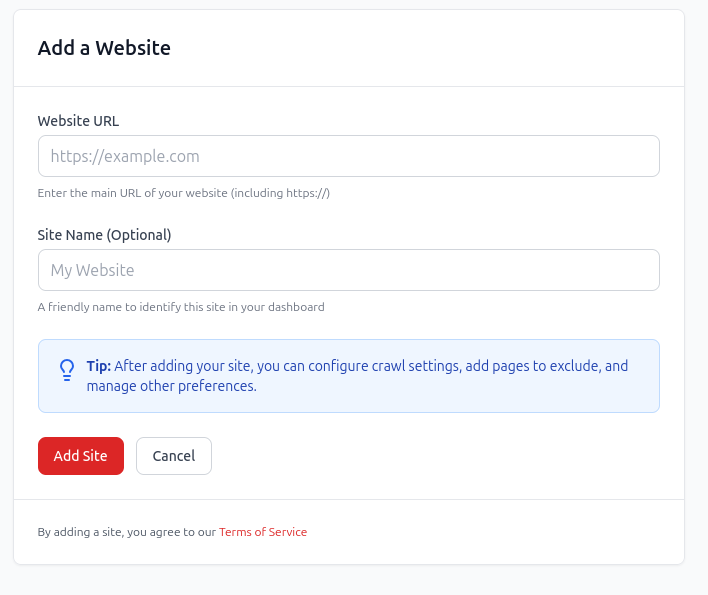
Map the pages redCacti can discover and see how your current internal links connect the site.
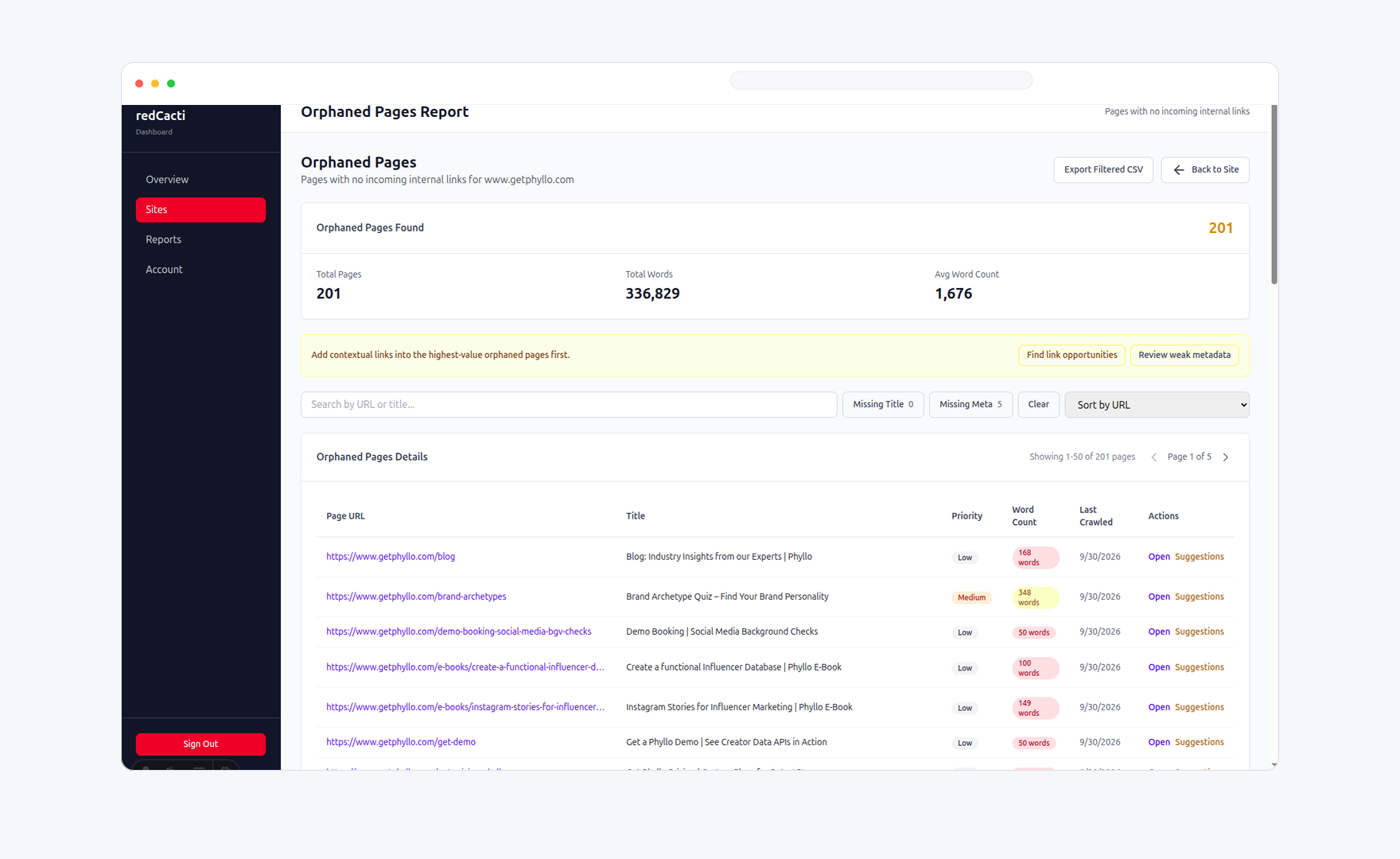
Identify product, blog, comparison, and documentation pages that receive little or no internal support.
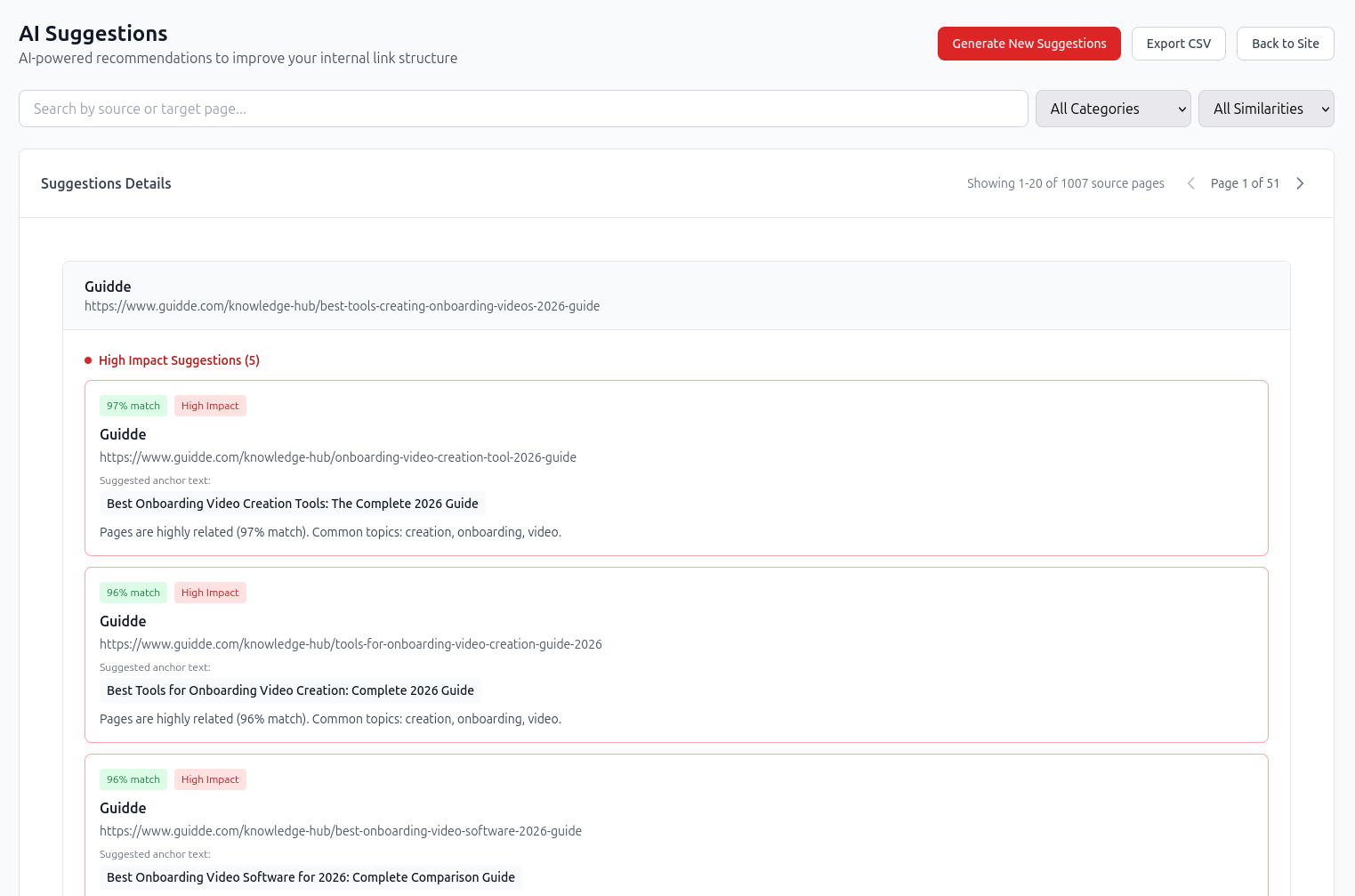
Use source, target, anchor, similarity, and impact signals to decide which links are worth adding.
Add approved links in context, then re-crawl to confirm that important pages are better connected.
Prioritization
Not every page needs the same internal linking effort. Prioritize pages that support acquisition, activation, product education, and buying intent.
Does the page support signup, demo, product education, integration demand, or buying intent?
Does the page fit a clear topic or content cluster that deserves stronger support?
Does the page have zero links, very few links, poor anchor text, or deep crawl depth?
Are there existing pages that naturally support this target page?
Is the page still accurate enough to deserve more internal support?
Can the link help a reader move from education to product understanding?
Rules
Keep the rules simple enough for writers, PMMs, and founders to use repeatedly.
Every important SaaS page should receive links from relevant pages, not just menus.
New pages should launch with internal links already planned.
Anchor text should describe the destination clearly.
High-performing articles should be refreshed to support newer product and use-case pages.
Documentation should link back to product context when it helps the user.
Comparison pages should connect to product, pricing, and migration paths.
Orphan pages should be reviewed before adding links blindly.
Internal linking should be part of the content brief, not only the final SEO checklist.
Example
Source page
/blog/customer-feedback-analysis/
Target page
/features/review-mining/
Anchor text
review mining workflow
This works because the link helps the reader move from an educational topic to a relevant product capability. It is contextual, descriptive, and useful. That is the standard SaaS teams should aim for.
Related workflows
This page should sit between the strategic blog guide and the product workflow. Use the related pages to move readers toward action.
See how redCacti finds source pages, target pages, anchor text, and impact signals.
Open pageGo deeper on planning topic clusters and linking between SaaS blog posts.
Open pageFind orphan pages and decide whether to link, merge, redirect, or remove them.
Open pageCompare tool workflows if you are evaluating internal linking software.
Open pageFAQs
SaaS websites usually grow across blog posts, feature pages, use-case pages, documentation, comparison pages, and integration pages. Internal links help users and search engines understand how those pages connect, which pages matter, and what path a visitor should take next.
Prioritize pages that support business goals: product pages, feature pages, use-case pages, high-intent comparison pages, integration pages, pricing-adjacent content, and articles that can move visitors closer to signup or demo intent.
There is no fixed number. A useful post should link to relevant product, feature, use-case, comparison, and supporting article pages where the link helps the reader. Relevance matters more than count.
Yes, when it helps the user. Documentation should stay focused on solving the task, but it can link to relevant feature pages, use cases, onboarding guides, and product explanations where the context is natural.
Start with a crawl, identify high-value pages with weak internal support, then find related source pages that already cover similar topics. redCacti helps by showing source pages, target pages, suggested anchor text, similarity, and impact signals.
The strategy defines which pages should support each other and why. The tool helps you find missing links, orphan pages, weak pages, broken paths, and repeatable opportunities at scale.
No. redCacti recommends internal link opportunities and shows context for each suggestion. Your team reviews and applies approved changes inside your CMS or codebase.
Start with your own site
Create an account, add your website, and use redCacti to find weak internal links, orphan pages, and relevant source-page opportunities.
No credit card required. Review every recommendation before changing your site.