High impact 97% topical match
- Link from
- /blog/customer-onboarding-video-examples/
- Link to
- /blog/how-to-create-an-onboarding-video/
- Suggested anchor
- create an onboarding video
- Why it matches
- Both pages cover video creation and customer onboarding.
Evidence-first internal linking tool
Crawl your website to discover relevant source-to-target link suggestions, recommended anchor text, similarity scores, and orphan pages without manually searching through every article.

A recommendation you can act on
redCacti connects a page that can provide the link with the page that needs it, then gives your team enough context to judge the recommendation quickly.
How it works
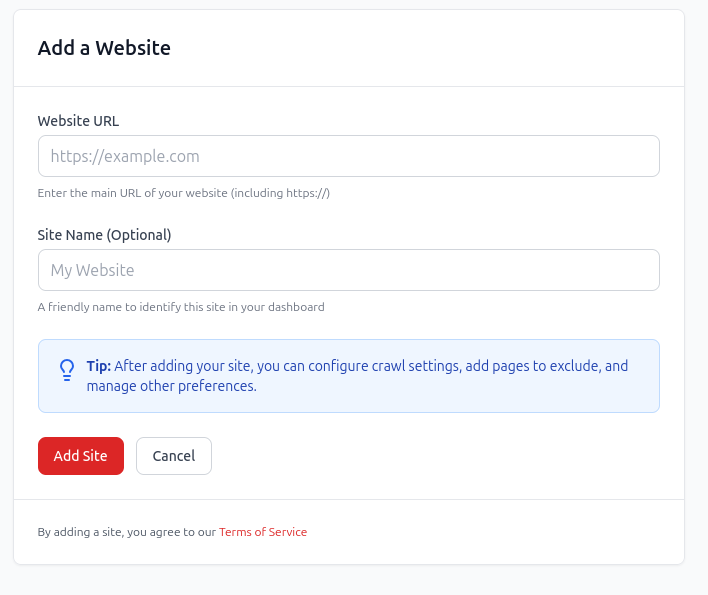
Add your site once. redCacti crawls the pages it can reach and turns the site structure into a reviewable linking workflow.
Enter your domain and let redCacti map the crawlable pages and links it finds. There is no CMS plugin to install before you can see the site.
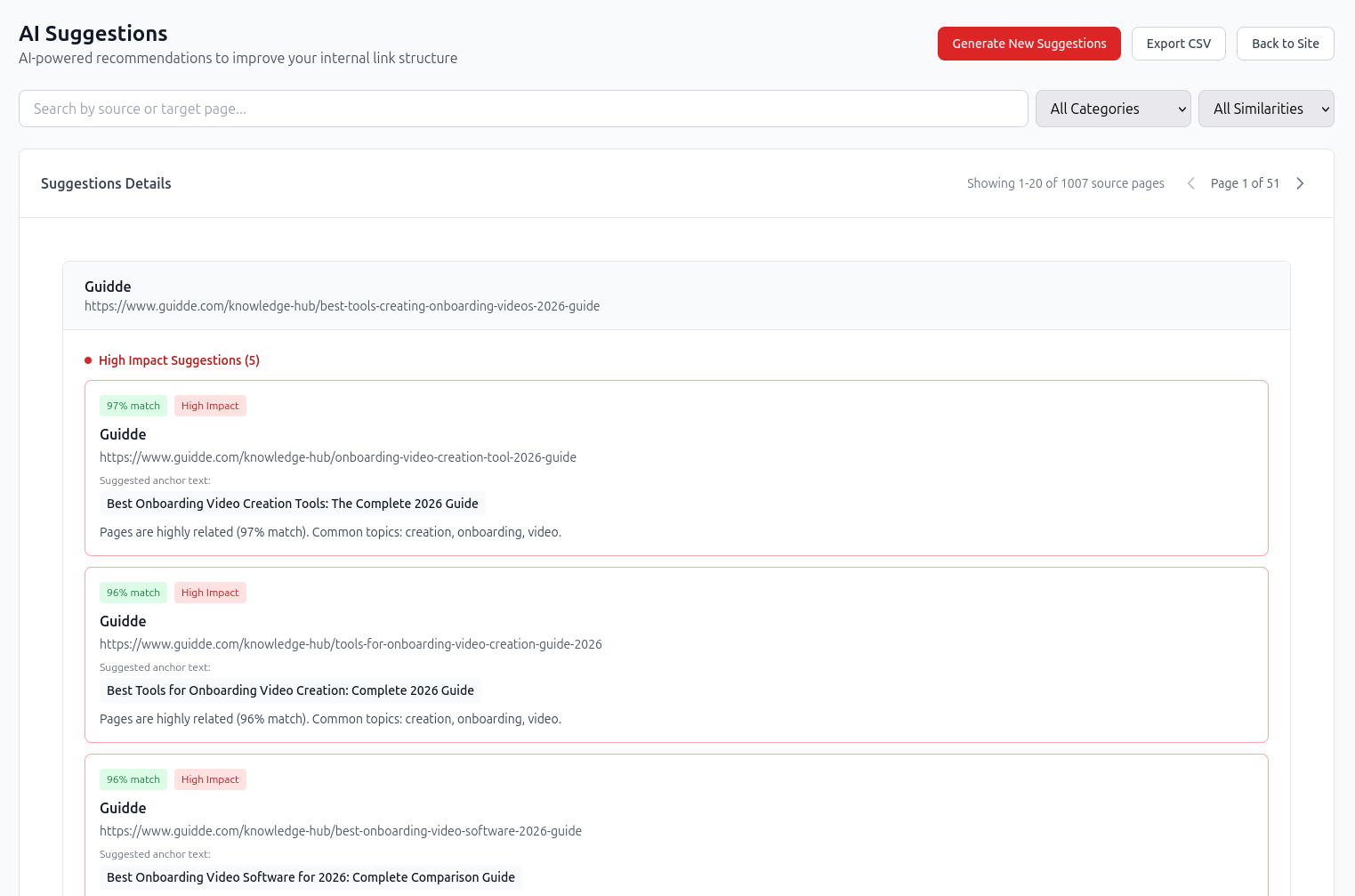
See which existing page could link to which target, the anchor text to consider, and why the two pages belong together. Use similarity and impact to decide where to begin.
Find pages with no incoming internal links. Review whether each page deserves a contextual link, should be consolidated, or no longer belongs in the indexable site structure.
Explore the orphan page finder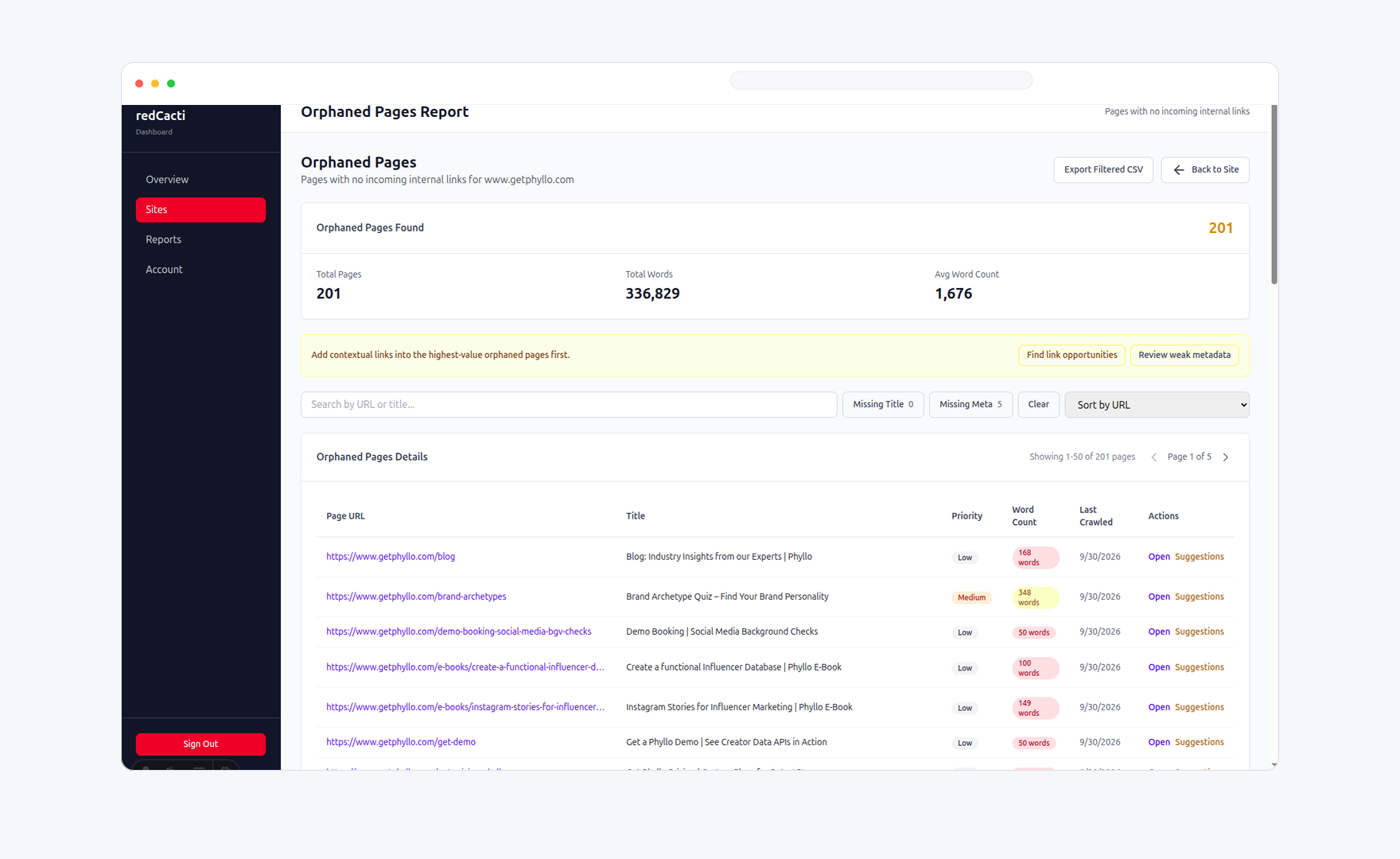
Inside every recommendation
A recommendation should be easy to evaluate without opening five exports. redCacti keeps the decision-making signals together.
Built for editorial control
redCacti discovers and prioritizes internal link opportunities. Your team reviews the suggestion and implements the approved link in your CMS.
Choose the right workflow
| Approach | What it gives you | Best fit | Main tradeoff |
|---|---|---|---|
| Manual site: searches | Keyword-by-keyword page discovery | A few links on a small site | Slow and difficult to repeat consistently |
| CMS plugins | Suggestions or insertion inside one CMS | Plugin-supported websites | Tied to a particular CMS and workflow |
| Crawler exports | Raw URLs, link counts, and crawl data | Technical audits and custom analysis | You build the recommendations yourself |
| redCacti | Prioritized source, target, anchor, and orphan-page recommendations | Content and SEO teams on any crawlable website | Your team reviews and implements approved links |
Internal linking resources
Build a linking system across blog, product, comparison, and documentation pages.
Read moreFind pages with no incoming internal links and decide what to fix first.
Read moreCompare the main workflows and choose the right approach for your site.
Read moreLearn the manual and tool-assisted methods for uncovering contextual links.
Read moreFrequently asked questions
redCacti crawls your website and surfaces relevant source-to-target internal link opportunities. Each recommendation includes the pages involved, suggested anchor text, a topical similarity score, an impact label, and context for why the link makes sense.
No. redCacti recommends and prioritizes internal links, but you review and add them in your CMS. This keeps editorial control with your team and avoids inserting links you have not approved.
Yes. You can create an account, add your website, and run your first crawl without a credit card.
Yes. redCacti analyzes the crawlable website rather than depending on a specific CMS plugin, so it can be used with WordPress, Webflow, Shopify, custom stacks, and headless websites.
Recommendations are organized using topical similarity and impact signals so you can review the most relevant, useful opportunities before working through lower-priority suggestions.
Yes. The orphan pages report identifies crawlable URLs that receive no internal links, helping you decide which pages should be linked, consolidated, redirected, or intentionally left out of the site structure.
A site: search can help you find occasional linking ideas one keyword at a time. redCacti evaluates the crawled site systematically, suggests source and target pages, proposes anchor text, and gives you a prioritized workflow you can repeat after new content is published.
Create an account, add your website, and turn your next crawl into a prioritized internal linking workflow.
Start with a free broken-link checkNo credit card required. Review every recommendation before making a change.