Free
Try the crawl workflow on one website.
$0
- 1 website
- Up to 1,000 pages per site
- Broken link and orphan page detection
- Current crawl health summary
- Up to 30 displayed results
Plans for evidence-led site structure work
Every plan starts with crawl-derived site health checks. Paid plans add recurring monitoring and deeper review queues for Content Architecture, topic clusters, content opportunities, isolated pages, and internal-link context.
Start with crawl evidence from your own site, then choose the monitoring scope that fits your workflow.
Compare all featuresTry the crawl workflow on one website.
For one content-heavy website.
For teams monitoring distinct site properties.
For managing several websites or clients.
The three-website Pro plan is for distinct properties you want to monitor, such as a main website plus documentation, a help center, a blog, a resource center, an app portal, a status site, or a regional site. It does not automatically combine separate properties into one crawl.
What every paid crawl helps you review
A recurring crawl gives your team a current evidence trail. Use the first group for technical checks, then use the second group to understand structure and decide what deserves attention first.
Review broken internal and external links, redirects, server errors, crawlability signals, orphan pages, sitemap signals, and recurring changes across crawls.
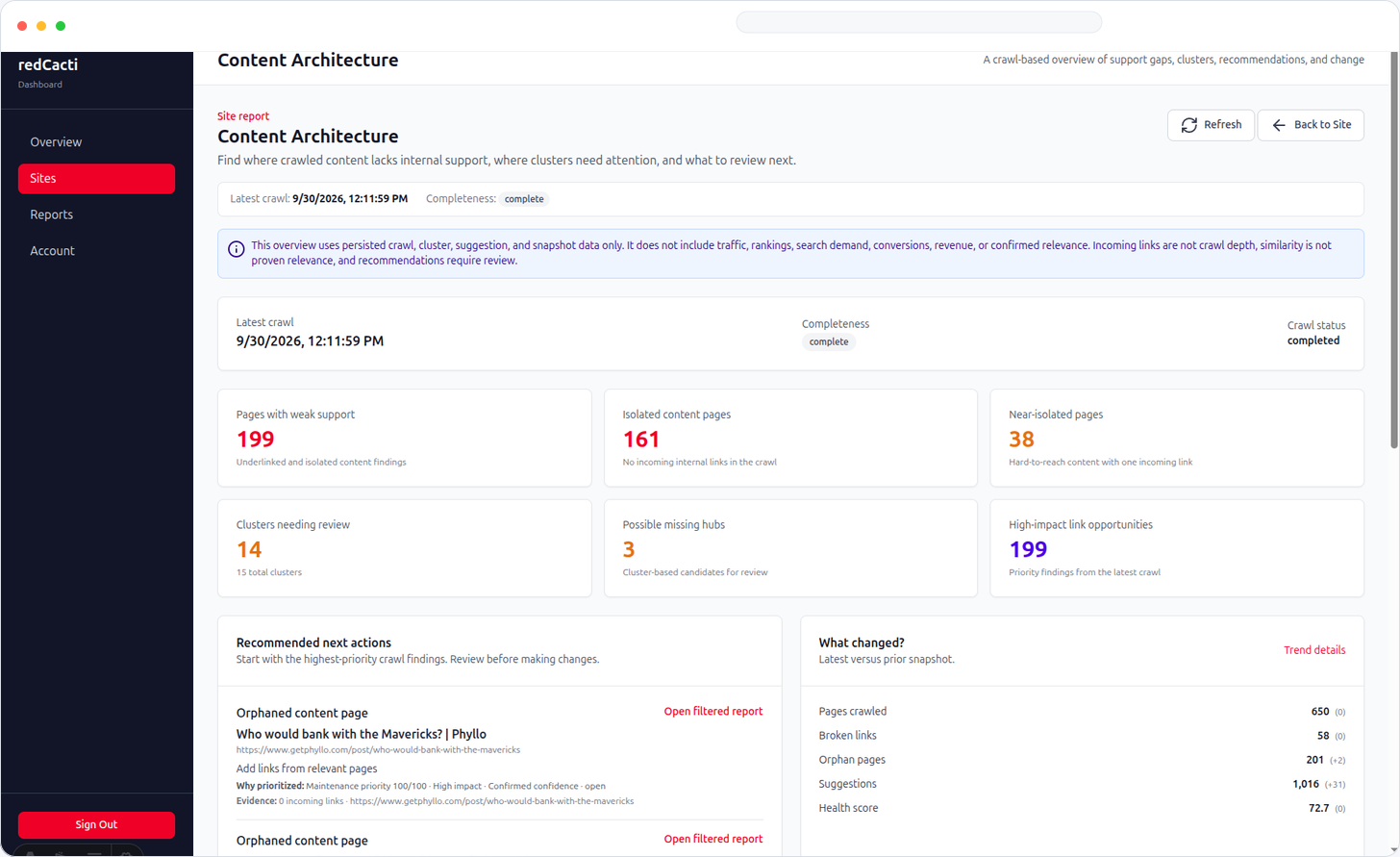
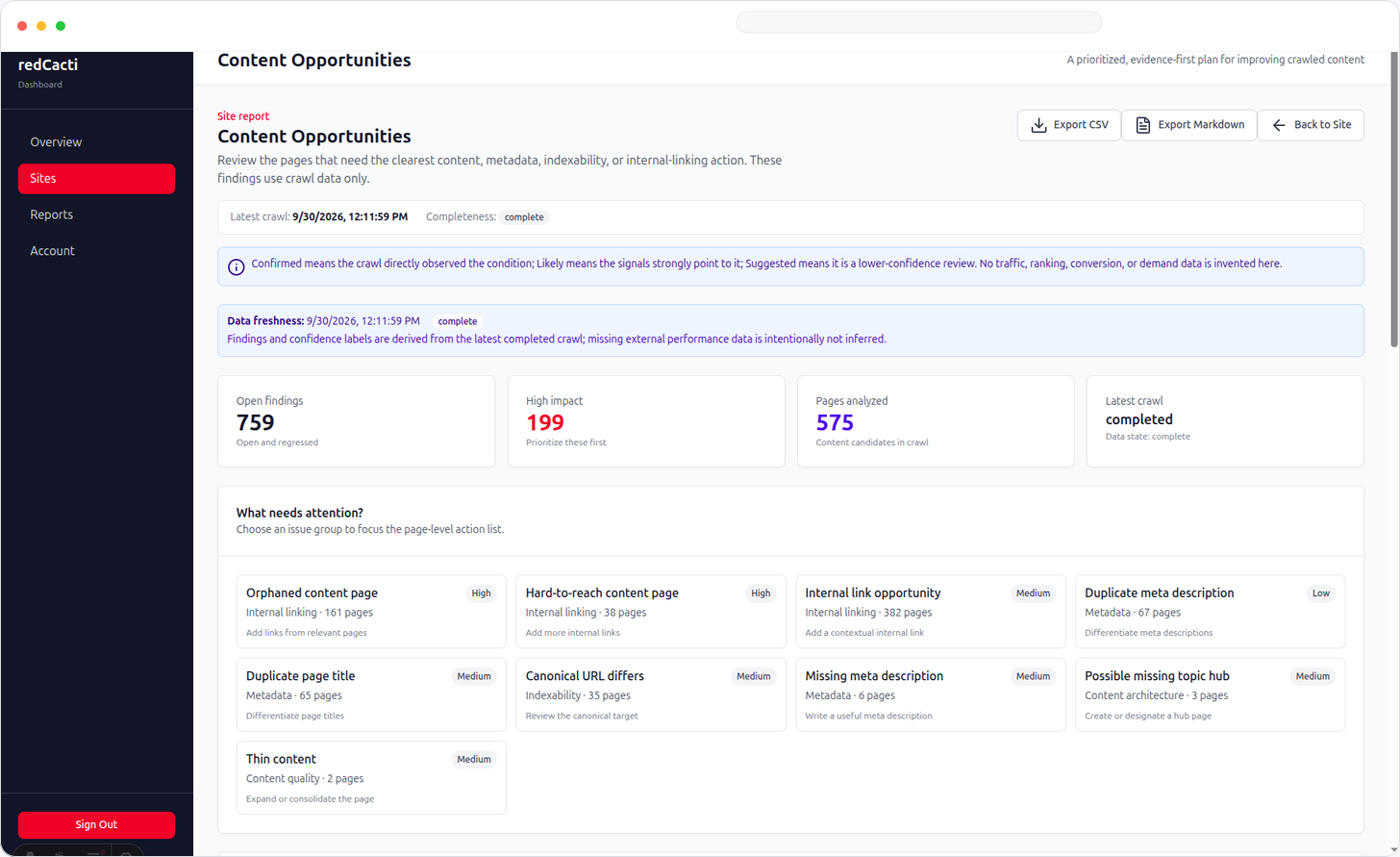
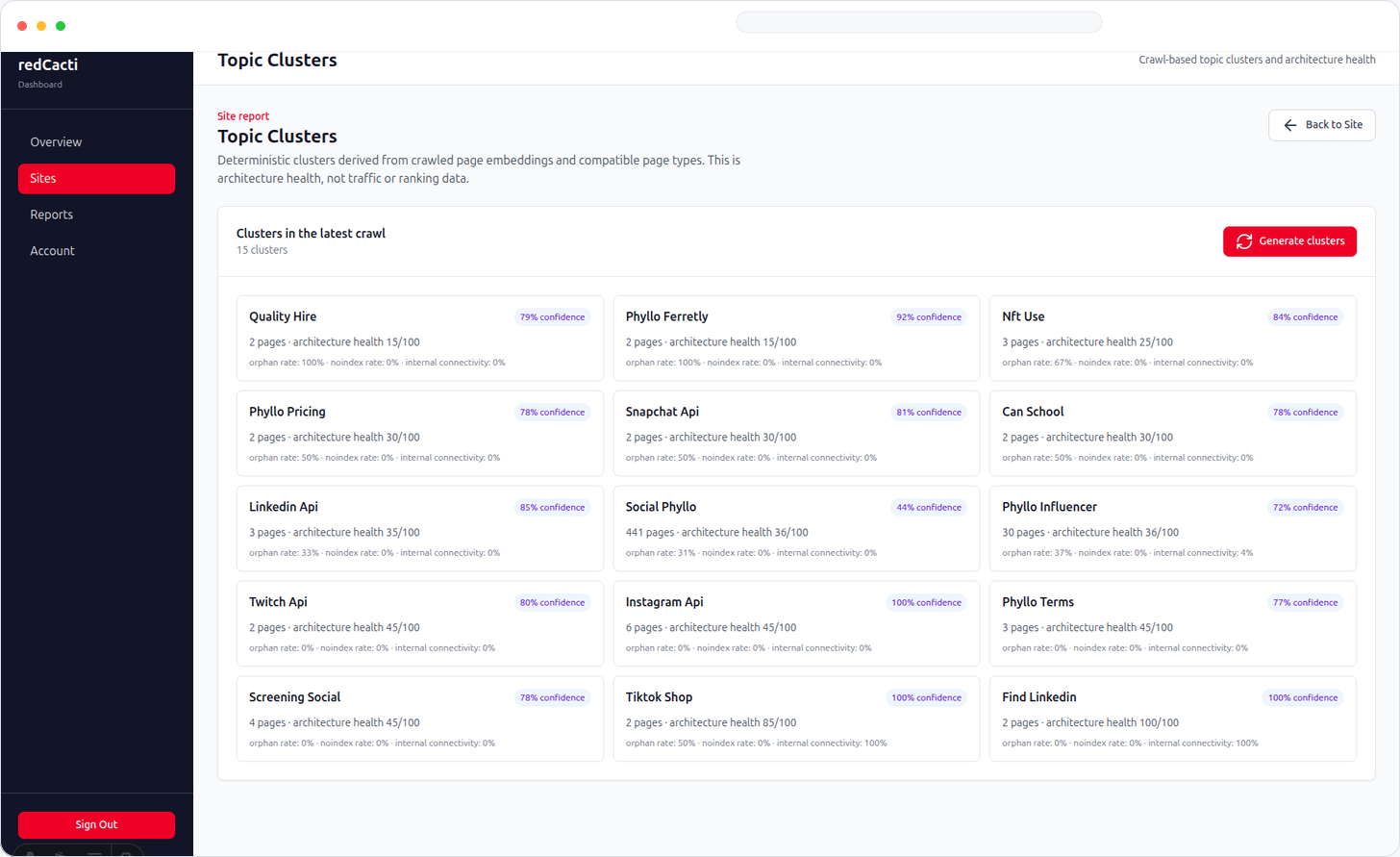
Review page classification, topic clusters, internal-link context, isolated and near-isolated pages, possible hubs, and content opportunities. Prioritization uses observed scope, reach, relationship, and evidence to help your team choose a review order.
Why monitor?
New pages appear, links decay, and content relationships become harder to review as a site grows. Recurring crawls make those changes visible so your team can inspect evidence before choosing an update.
Catch broken links and redirects after publishing or restructuring.
Review pages with no observed incoming internal links or only narrow support.
Inspect hubs, topic clusters, classification, and contextual link paths.
Use scope, reach, relationships, and evidence to decide what to investigate first.
A website is one connected site property that you add and crawl. Each website has its own page limit. A separate documentation site, help center, blog, resource center, app portal, or regional site counts as another website when it has its own host or crawl property.
Yes, when the documentation or help content is publicly crawlable. Add it as its own website if it is a separate property. A plan does not merge separate properties into one crawl automatically.
Each connected website has its own page limit. Free supports up to 1,000 pages per site, while Solo, Pro, and Agency support up to 10,000 pages per site. Need coverage for more pages? Contact [email protected] and we will help you find the right setup.
It uses crawl-derived evidence such as observed pages, internal links, crawl depth, reachability, incoming links, page classification, isolated or near-isolated pages, and relationships between related content. It does not include traffic, rankings, search demand, conversions, or revenue data.
Prioritization helps you decide what to review first using observed scope, reach, relationships, and crawl evidence. It turns a large crawl into a practical review queue for your team.
redCacti shows the structural issues and content relationships your team can review. Rankings depend on many factors, so use the findings to guide your work rather than as a guarantee.
Start with the free crawl, then contact [email protected] to discuss the right paid plan for your websites. The team will help you confirm coverage and arrange the next step.
Run a free crawl first. If the review queue is useful, contact the team about the plan that fits your connected websites.
Run a free crawl