1
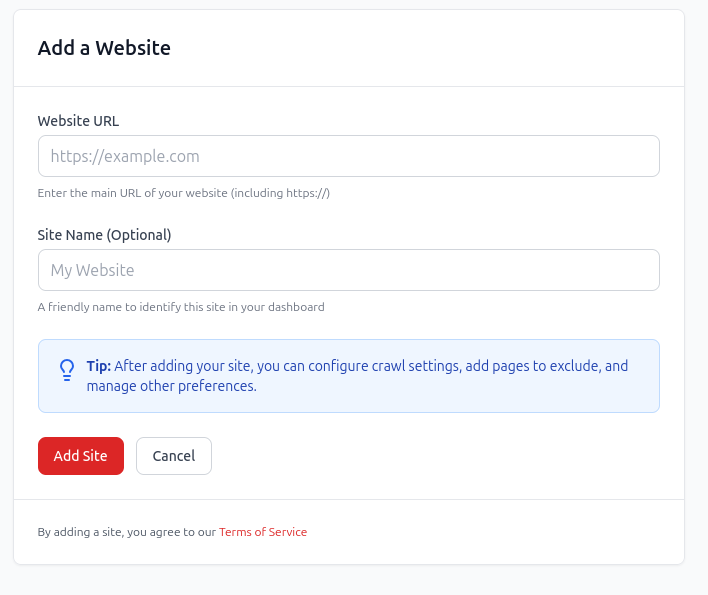
Add the website
Start with a crawl so redCacti can map the pages and links it can discover from your site.
Orphan page audit
Pages with no internal links are URLs that exist on your website but receive zero links from other crawlable pages. To find them, compare your full URL inventory with the pages discovered through an internal crawl.
Quick answer
Your full URL list can come from your sitemap, CMS export, Google Search Console, analytics, server logs, or product database. Your crawl shows which pages are reachable through internal links. Important URLs that exist in the inventory but receive zero incoming internal links should be reviewed.
Step 1
Map the pages your internal links can reach.
Step 2
Collect known URLs from sitemaps, CMS, GSC, analytics, or logs.
Step 3
Decide whether each zero-link page should be linked, merged, redirected, or removed.
Definition
A page has no internal links when no other crawlable page on your website links to it. The page may be live, indexable, and present in your sitemap, but a visitor or crawler starting from your homepage cannot naturally reach it through your site structure.
In most SEO workflows, these pages are called orphan pages. A weakly linked page is different. It may have one or two internal links, but those links may be buried, irrelevant, or too far from important pages to provide much value.
Google says links help it discover pages and understand page relevance in its link best practices. That is why internal links matter for more than navigation. They help show how your pages fit together.
Audit method
A normal crawl only sees pages it can reach through links. To find true orphan pages, compare crawl results with a broader inventory of URLs that exist on your site.
| Method | Finds | Misses | Best for |
|---|---|---|---|
| Website crawl | Pages reachable through internal links | True orphan pages that no linked page points to | Understanding the current connected site structure |
| XML sitemap | URLs submitted for discovery | Published URLs missing from the sitemap | Finding sitemap-only pages that are not linked internally |
| CMS export | Published posts, pages, landing pages, and docs | Indexability, canonical, and link graph context | Content-heavy websites with many page types |
| External URL inventory | URLs supplied from an external inventory | New pages with no traffic or impressions | Recovering old valuable pages that fell out of the structure |
| Additional URL sources | URLs requested by bots or users | Business priority and content quality | Large technical audits and legacy URL discovery |
Compare the lists
Once you have crawl data and a URL inventory, the next step is matching them. The important signal is not just whether a URL exists. It is whether the rest of the site actually connects to it.
| URL status | Meaning | Action |
|---|---|---|
| In crawl and has internal links | Connected page | Usually fine. Review if it is strategically important. |
| In crawl but has very few links | Weakly linked page | Improve if the page supports search, product, or conversion goals. |
| In sitemap or CMS but not in crawl | Possible orphan page | Investigate whether the page should be linked, merged, redirected, or removed. |
| In GSC or analytics but not in crawl | Old or hidden URL | Review traffic, intent, freshness, and whether the page still belongs. |
| In logs but not in crawl | Bot or legacy discovery | Check carefully before adding links or redirects. |
Product workflow
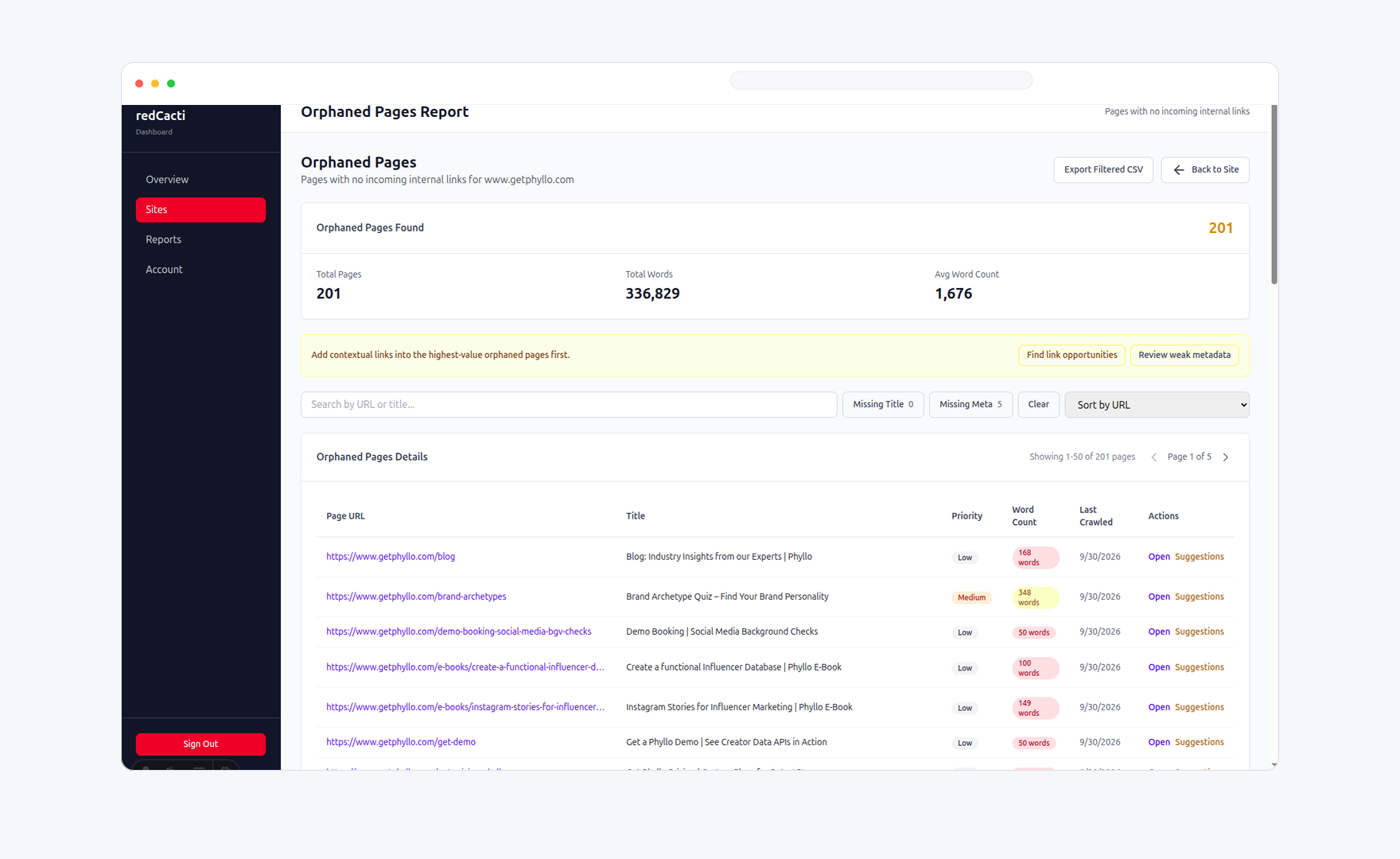
redCacti crawls your site, builds an internal link graph, and shows pages that receive no incoming internal links. From there, your team can decide which pages deserve stronger contextual links and which should be cleaned up.
Explore the orphan page finder Validate first
Some URLs look orphaned because of crawl scope, URL formatting, or intentional page behavior. Validate the page before adding links or redirects.
Trailing slash, lowercase, and canonical URL mismatches
Noindex tags, robots.txt blocks, or canonical tags pointing elsewhere
JavaScript-only links that a basic crawl may not see
Pagination, faceted URLs, tag pages, and language variants
UTM parameters, old campaign URLs, and duplicate paths
Thank-you pages, paid ad pages, and internal utility pages
Fix decisions
The audit is not finished when you find the list. It is finished when each URL has a clear next action.
| Action | Use when | Next step |
|---|---|---|
| Link and improve | The page targets an important keyword, product use case, feature, comparison, or signup journey. | Add contextual links from relevant articles, hubs, feature pages, category pages, or docs. |
| Merge | The page is thin or overlaps with a stronger page that already satisfies the same intent. | Move the useful content into the stronger page and update internal links to the preferred URL. |
| Redirect | The page is outdated, replaced, or no longer matches the current product, offer, or topic. | Redirect it to the closest relevant alternative. Avoid sending everything to the homepage. |
| Remove or noindex | The page is expired, duplicated, intentionally private, or not useful for organic discovery. | Remove it from the indexable site structure or keep it intentionally isolated. |
Manual vs repeatable
A manual audit can work when you have a small site. Once you have multiple sections, contributors, and old URLs, orphan-page checks should run regularly.
Start with a crawl so redCacti can map the pages and links it can discover from your site.
Use the orphan page report to identify URLs with zero incoming internal links.
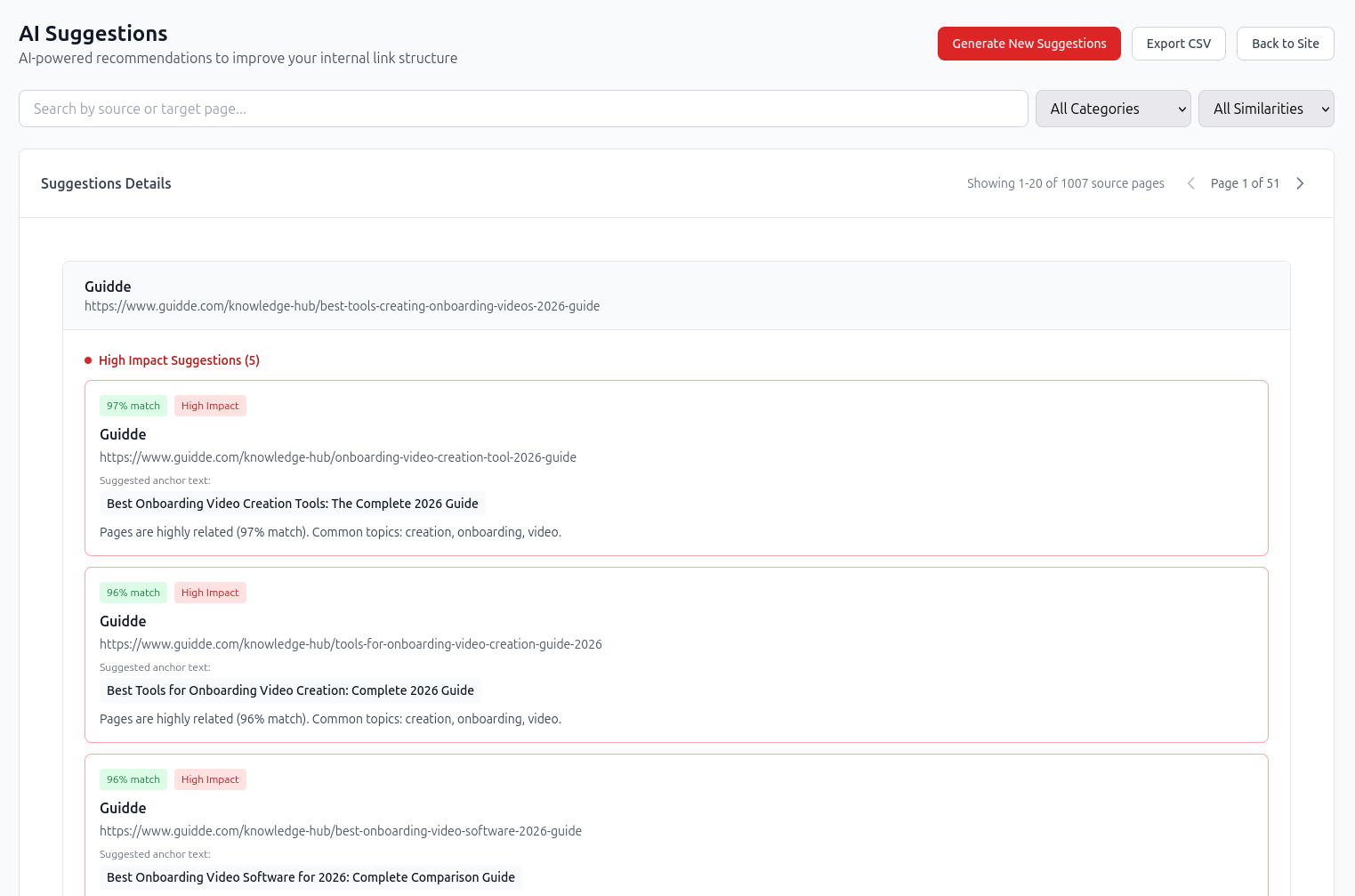
For pages worth keeping, use internal link recommendations to find relevant source pages and anchor text.
Quick checklist
Crawl your site from the homepage
Export all URLs from your sitemap
Export published URLs from your CMS
Check GSC, analytics, and logs for discovered URLs
Compare crawl data with your URL inventory
Flag URLs with zero incoming internal links
Review indexability, canonical tags, and business value
Add contextual links to important pages
Merge or redirect overlapping pages
Remove pages that no longer serve a purpose
Re-crawl after fixes
Repeat the audit regularly
Related workflows
Pages with no internal links are one part of a larger content architecture problem. These pages help you move from diagnosis to action.
Find zero-inlink pages and turn the list into a practical cleanup workflow.
Open pageFind source pages and anchor text for valuable pages that need stronger links.
Open pageBuild a site structure across product, blog, comparison, and documentation pages.
Open pageDecide whether each disconnected page should be linked, merged, redirected, or removed.
Open pageFAQs
They can be. If an important page has no incoming internal links, users and search engines have a weaker path to discover it. But not every isolated page is a problem. Some pages, such as thank-you pages or paid campaign pages, may be intentionally kept outside the main site structure.
Yes. Google may discover a page through a sitemap, external link, old crawl path, Search Console submission, or another signal. But being indexed does not mean the page is well connected or likely to perform well.
No. A sitemap can help discovery, but it does not replace internal links. Important pages should be connected from relevant pages inside your site so users and crawlers can reach them naturally.
An orphan page has no incoming internal links from the rest of the site. A weakly linked page has at least one internal link, but the link may be buried, irrelevant, or too far from important pages to be useful.
There is no fixed number. A page should have enough relevant internal links to make sense inside your site structure. For important SaaS pages, that usually means links from related blogs, use-case pages, feature pages, comparison pages, and topic hubs.
The fastest way is to use a crawler or internal linking tool that compares crawl data with sitemap or URL inventory data. For small sites, you can also export URLs into a spreadsheet and compare them manually.
No. First decide whether the page still has value. Link important pages, merge overlapping pages, redirect outdated pages, and remove low-value pages that no longer serve a purpose.
Start cleanup
Create an account, add your website, and turn your next crawl into a prioritized workflow for finding and fixing zero-link pages.
No credit card required. Review every recommendation before changing your site.