Broken destination
See the exact internal or external URL that failed instead of working backward from a generic error count.
Crawl your website, identify broken internal and external links, and see exactly which pages still point to them.
Starting crawl
Elapsed time: 0s
Large sites can take several minutes. Recent public reports below will keep refreshing while this runs.
Example report
acme.com
Pages
486
Broken
17
Checked
1,924
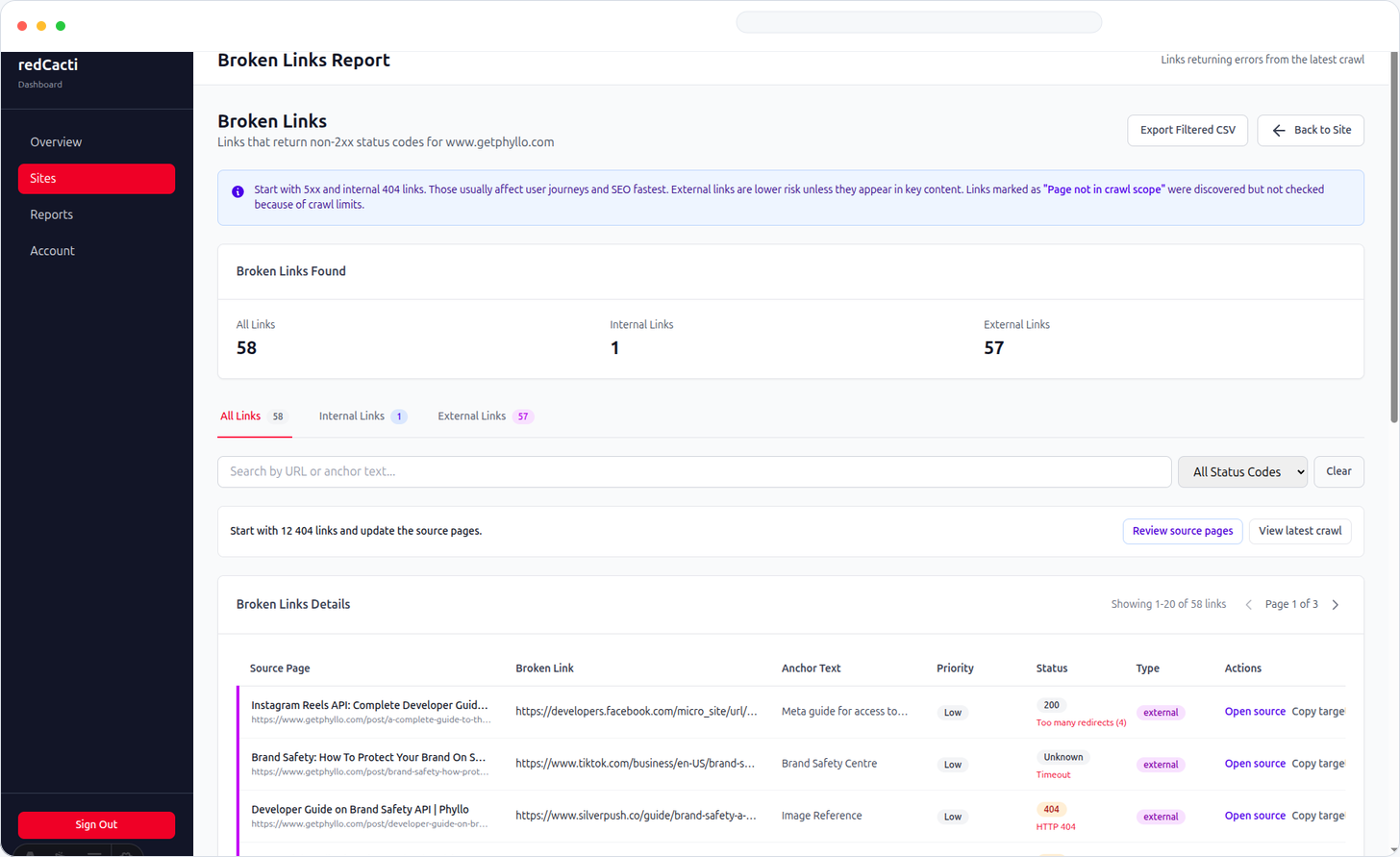
Each result includes the broken destination, response status, and referring page.
Actionable output
A list of dead URLs is not enough. The report gives you the context needed to find the source and fix the problem quickly.
See the exact internal or external URL that failed instead of working backward from a generic error count.
Find the page that still contains the broken link so your team knows exactly where to edit it.
Separate 404s, server failures, and request errors so you can decide whether to update, remove, or redirect the link.
How it works
01
Paste the root domain you want to check.
02
Sitemap and homepage discovery identify crawlable URLs.
03
Internal links and a capped set of external links are checked.
04
See broken destinations, statuses, and referring pages.
One-time check vs monitoring
Use the free checker for a snapshot. If your site changes often, scheduled monitoring catches newly introduced broken links without another manual audit.
Explore broken link monitoringRecent checks
Recent public reports can act as examples while your own crawl runs.
No recent broken-link reports are available yet.
Could not load recent reports right now.
After the scan
A broken header, footer, sidebar, or reusable CTA can appear across hundreds of pages. One fix can remove many errors.
Update the source link when the destination moved. Add a redirect when the old URL still has legitimate references or backlinks.
Look for an updated source or replacement. Verify unexpected external failures because some sites block automated requests.
A sudden spike after a redesign often points to missed URL changes, incomplete redirects, or stale links in templates.
FAQ
It crawls pages on your domain, extracts links, validates internal and external destinations, and reports failures with crawl context.
Yes. It checks a capped set of external links. Some third-party sites block automated requests, so verify unexpected external failures before removing a link.
No. The free checker can be used without signing up.
Use monitoring when your site changes regularly and you want scheduled checks instead of remembering to rerun one-off audits.