Alt Text in 2026: The Definitive Guide (Backed by a 93-Site Study)
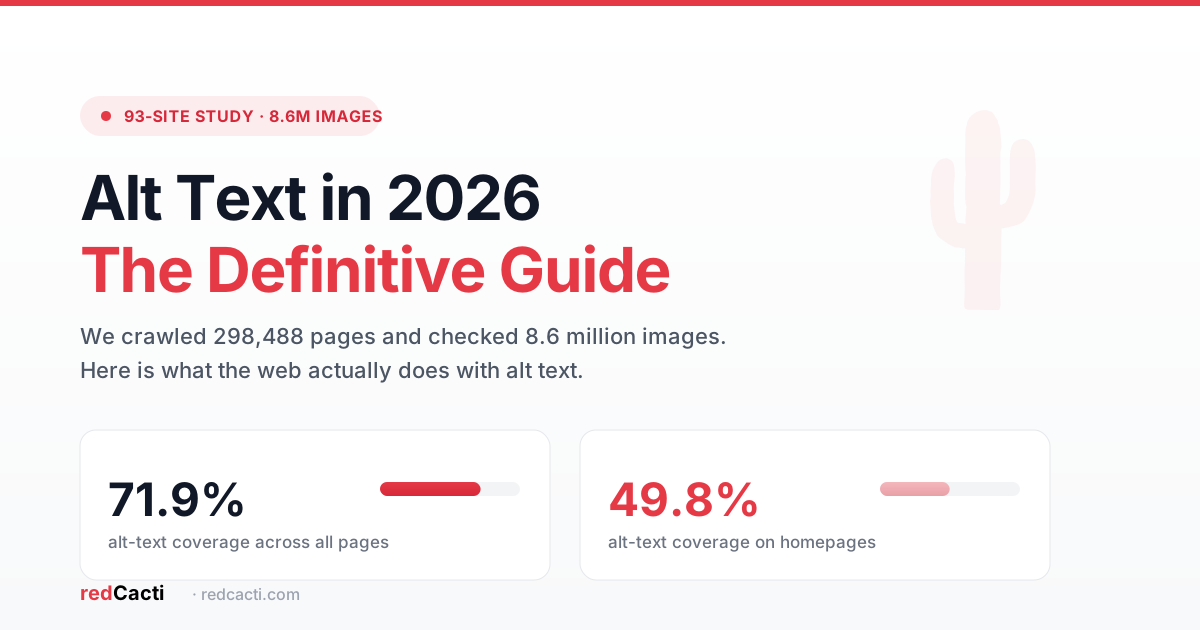
Crawl data collected between January and November 2026. Analysis powered by redCacti.
We crawled 298,488 pages across 93 of the web’s most popular websites. We found and checked 8.6 million images. Here is what we learned, and how to use it.
About 28 out of every 100 images on these sites had no alt text at all. But the real surprise was the homepage. On the most important page of a site, the one people visit most, almost half of all images had no alt text. Barely 49.8% of homepage images were covered.
If that sounds bad, it gets worse. Some of the biggest names in tech mostly skip alt text. PostHog covered only 7.7% of its images. Astro covered 11.2%. Three.js covered 19.6%. ActiveCampaign covered just 1.8%. Storylane covered 6.6%. GetPhyllo covered 8.0%.
The point is not to embarrass anyone. The point is that this is normal. You are not behind. Most sites are exactly where you are. That also means fixing it is a real chance to pull ahead.
Let me show you exactly what alt text is, why it matters more in 2026 than ever, and how to write it well. This guide is simple, and you can remember it.
What alt text actually is
Alt text is the written description behind an image. It sits in the alt attribute of the image tag. It lives on the page even though people rarely see it.
When an image cannot be seen, alt text stands in for it. Screen readers read it out loud for people who are blind or have low vision. Search engines read it to understand what the image shows.
It helps to keep three things separate, because people mix them up all the time:
| Thing | What it is |
|---|---|
| Alt text | The description of what the image means. Search engines and screen readers use it. |
| File name | The name of the file, like red-sneaker-product.jpg. Useful, but it is not alt text. |
| Caption | The text shown under the image. People can read it. It is not alt text. |
| Title | A small tooltip shown on hover. Not alt text. |
The rule is simple. Alt text is not the file’s name and it is not a caption. It is the meaning of the image when the image is not there.
Why this matters more in 2026
Alt text used to be a nice thing to have. In 2026 it is a real part of how search works. Three things changed this year.
Google now measures image-based search
In September 2026, Google added a new report to Search Console called multimodal search. For the first time, site owners can see how many clicks and impressions come from people who search with an image instead of typed words. This covers Google Lens and Circle to Search.
This is a big deal. Alt text was hard to measure before. Now there is a clear number in your dashboard. You can see exactly how your images bring in traffic, and you can see it improve as you fix your alt text.
Bing and Copilot lean on the same basics
Bing says its AI search experiences, including Copilot, use the same crawling, indexing, and ranking foundation as regular search. That means the basics still matter. Good alt text helps you get found in Bing and in Copilot answers, and it helps your site get cited as a source.
AI search reads your alt text
ChatGPT, Perplexity, and Claude all read web pages to build their answers. They use alt text to understand what an image is about. Images with clear, accurate descriptions are more likely to be mentioned in AI answers.
This does not mean alt text replaces good content. It does not. But it means a well described image is one more vote for your page when an AI engine is deciding what to cite.
One more thing. The 2026 WebAIM Million report looked at the top one million home pages. It found that 53.1% of them have images missing alt text. That makes it the second most common accessibility mistake on the web. Accessibility is not optional anymore for many businesses, and alt text is the easiest fix to start with.
What we found in the 93-site study
Our crawl gives us a clear picture of how real sites handle alt text. These are the patterns that showed up again and again.
The homepage gap is the headline
Across all pages, alt text coverage was 71.9%. Across homepages only, it fell to 49.8%. That is a drop of about 22 points.
Think about what this means. Your homepage is the page you link to the most. It is often the page people see first. It is the page that should be the most polished. Yet it is the page most likely to be missing alt text.
The reasons are obvious. Homepages are messy. They change often. They are full of logos, icons, and decorative banners that somebody forgot to label. Nobody sits down and writes alt text for a homepage, because the homepage is where things just get thrown up.
That is exactly why fixing your homepage first gives you the fastest win.
Some sites care, some do not
Coverage is not spread evenly. It is split into two camps. Nearly a third of the sites we checked cover under 25% of their images. A quarter cover over 90%.
There is no middle ground. Sites either treat alt text as part of the job or they ignore it completely. There are 26 sites doing it right. That tells us it is fully possible. It is a choice, not a burden.
The worst by volume are not the worst by habit
We found two different kinds of failure.
Some sites fail by volume. ClickUp has over 409,000 images missing alt text. ActiveCampaign has over 372,000. Palmonas has over 222,000. These are big sites with a huge number of images, so the raw missing numbers are enormous.
Other sites fail by rate. ActiveCampaign covers only 1.8% of its images, meaning 98.2% are missing. PostHog, Storylane, and GetPhyllo are all above 90% missing. These sites essentially never write alt text at all.
The lesson stays the same either way. Volume means you need a system. Rate means you need to start.
Alt text tracks content quality
The strongest pattern in the whole study: sites that write good long content also write good alt text.
Pages under 300 words had alt text coverage of about 53.5%. Pages over 1,000 words had coverage of about 70.4%.
This makes sense. A site that cares about one part of quality tends to care about all of it. And it gives you a simple test. If your long articles are done well but the images are not labeled, then you already know how to do great work. Alt text is just the next step.
A note on how we measured
Two things to keep in mind so the numbers are fair. First, about 13.8% of pages had no images at all, so we did not count those. Second, we counted an image as covered if it had any alt text. We did not judge whether the text was good. An image with the text “image” counted as covered. So the real quality is probably lower than these numbers suggest.
The decision framework for every image
Before you write a single word, decide what the image is for. There are only a few cases, and each one has a simple rule.
Informative images
If the image carries information that matters, describe it. This is your product photo, your chart, your screenshot, your photo of the team. Write what it shows in plain words.
Decorative images
If the image is only there to look nice, use an empty alt. You write alt="" with nothing inside. This tells screen readers to skip it. It is correct to leave decorative images empty. An empty alt is not a mistake. An image with no alt attribute at all is a different problem, because the screen reader does not know whether to skip it or read it.
Images that are links or buttons
If the image is clickable, describe what the click does, not what the picture looks like. An image used as a link with no alt text just gets read as the word “link.” That helps no one.
Charts and graphs
For a chart, give a short summary in the alt text and put the full numbers in a table next to it. People with low vision can then get the full data, and everyone can read the table.
Logos
For a logo, keep it short. Something like “Acme logo” is enough. You do not need to describe the colors or the shape.
The four part formula
Here is the part to remember. Write your alt text in four steps. Subject, type, detail, context.
- Subject. What is the main thing in the image?
- Type. What kind of image is it, a photo, a chart, a screenshot?
- Detail. What is one useful thing a person cannot see easily?
- Context. Why does this image matter on this page?
Then keep it to about one sentence and under 125 characters.
Let me show you. Here is a bad alt text: “image”. That tells you nothing.
Here is a better one for a photo of a person wearing headphones: “Woman wearing wireless earbuds at her desk.”
Here is the four part version, “Photo” (type), “of a woman” (subject), “wearing wireless earbuds” (detail), “at her desk” (context). “Photo of a woman wearing wireless earbuds at her desk.”
Simple. Now you can do this for any image.
Good and bad examples
Here are real pairs. Copy the good ones.
| Image | Bad alt text | Good alt text |
|---|---|---|
| Product photo of a red sneaker | image | Red running sneaker on a gray background |
| Chart of quarterly sales | chart | Line chart showing sales rising from Q1 to Q4 |
| Team photo | people | Team of five standing in the office lobby |
| Screenshot of a checkout page | screenshot | Checkout page with a blue Continue button |
| Photo of a laptop in a cafe | laptop | Laptop and coffee on a table in a bright cafe |
Notice two things about the good ones. They say what the image shows. They do not start with “Image of” or “Photo of” every time, because the screen reader already says the word image.
The five mistakes to avoid
Memorize these five and you will be ahead of most sites.
-
Do not keyword stuff. Cramming words like “cheap red running sneakers buy online” into the alt text does not help. Google has said it discourages this. Write naturally.
-
Do not start with “Image of” or “Photo of.” The screen reader already knows it is an image. Just describe it.
-
Do not use the file name. “IMG_1024.jpg” is not alt text. It tells no one anything.
-
Do not use the word “image” as alt text. It technically counts as covered in our study, but it says nothing. It is the same as no alt text in real use.
-
Do not describe every little detail. Say what matters. If a detail does not matter to the point of the page, leave it out. Keep it under 125 characters.
Here is one more idea from 2026 guidance. The same image can need different alt text on different pages. A photo of a sneaker on a product page should describe the sneaker. The same photo in a blog post about running should describe the running scene. Context decides the words.
Google says check your alt text by hand
One more thing from Google that is worth repeating. Google now says AI generated alt text should be checked by a person before it goes live. The same rule applies to titles, descriptions, and other metadata.
This matters because a lot of tools now auto fill alt text. That is fine as a starting point. But you do not want the tool writing “image” or a wrong description and shipping it. Run a human eye over it. The cost is small, and it protects you.
How to fix your own site
Here is a simple four step plan you can follow this week.
-
Audit. Find your pages with the most traffic and the most images. Check which images are missing alt text. You can paste a page or a site into our free alt text checker and it will list every image that is missing or poorly described. You can also use a crawler, Lighthouse, or the browser’s developer tools.
-
Prioritize. Fix your homepage first. That is the biggest single win. Then fix your most visited pages. The longest, best articles are usually the ones worth the effort.
-
Classify. Sort images into informative and decorative. Write real alt text for the informative ones. Set decorative ones to empty alt.
-
Measure. Aim for over 90% coverage on your homepage and over 75% site wide. That puts you in the top group of the sites we studied. Then watch the new Search Console multimodal report to see your image traffic grow.
A goal to remember. Get your homepage above 90% and you are already doing better than most of the sites in our study.
The checklist
Print this or keep it handy.
- Every informative image has a clear description.
- Decorative images use an empty alt.
- Keep it to about one sentence, under 125 characters.
- No “image of,” no file names, no keyword stuffing.
- The same image can need different text on different pages.
- A person checks AI generated alt text before publishing.
- Fix the homepage first.
- Watch your image traffic in Search Console.
A chance to start today
The truth is most sites are bad at alt text. That is not a reason to panic. It is a reason to get ahead.
We crawl and check sites like the one in this study. You can get your own number in minutes with our free alt text checker. Paste in your homepage and it shows you exactly how many images are missing or weak, so you can start fixing them right away. Most people are surprised by what they find.
Either way, start with the homepage. Use the four part formula. Avoid the five mistakes. Check it by hand. You will be ahead of the majority, and you will help people who cannot see your images use your site, which is the real reason any of this matters.
Alt text was already about accessibility and search. In 2026 it is also about AI answers and measurable image traffic. It is one small line of text with a growing payoff. It is worth the five minutes.
Sources
- Google Search Console multimodal search reporting: https://developers.google.com/search/blog/2026/09/web-multimodal-in-sc
- Google image SEO best practices: https://developers.google.com/search/docs/appearance/google-images
- Google guidance on AI generated content: https://developers.google.com/search/docs/fundamentals/using-gen-ai-content
- Bing webmaster guidelines: https://www.bing.com/webmasters/help/webmaster-guidelines-30fba23a
- WebAIM Million 2026: https://webaim.org/projects/million/
- W3C alt text guidance: https://www.w3.org/WAI/tutorials/images/
Redcacti crawled 298,488 pages across 93 sites between January and November 2026 to produce this study.
Liked this article? Forward to people who could benefit from it.
Newsletter
Weekly SEO teardowns
Internal linking, broken links & orphan pages - straight to your inbox, every week.